Free plan · Unlimited invoices
Free ZATCA Phase 2 e-invoicing, connected to Fatoora.
Issue simplified and standard tax invoices, credit and debit notes, and have them reported or cleared with ZATCA’s Fatoora platform, signed and QR-coded. Behind them sits a real accounting ledger and a VAT return view. No invoice cap, no trial clock, no card.
Your invoices and your customers’ details are stored and processed in Saudi Arabia, in Jeddah. We never sell them and never use them for marketing.
Sign-up takes an email and a password. You can practise in ZATCA’s simulation environment before you connect your real VAT number.
What it is
Invoicing, a ledger and a register. One account.
Each item says whether it is in the product today or still arriving. We would rather you read that here than discover it after moving your invoicing.
- In the product
Simplified and standard tax invoices
B2C and B2B invoices in the ZATCA Phase 2 format (UBL 2.1 XML), signed with your own device certificate, in Arabic and English.
- In the product
Credit and debit notes
A correction is a note that references the original invoice, as ZATCA requires. An issued invoice is never edited or deleted.
- In the product
Reporting and clearance with Fatoora
Standard invoices are cleared before they reach your customer. Simplified invoices are reported within the 24-hour window, with automatic retries if the gateway is unreachable.
- In the product
The Phase 2 QR code
All nine tags, including the signature and public key, generated for every document.
- In the product
Products, with import
Up to 1,000 products or services on the free plan, each with its VAT category. Bring them in from a spreadsheet instead of typing them.
- In the product
Customers
Unlimited customers, with the VAT number and national address a standard invoice needs.
- In the product
An accounting ledger
A Saudi chart of accounts, double-entry journal, period locks, trial balance, profit and loss and balance sheet, with supplier bills and expenses, payments and bank reconciliation. Every issued invoice posts itself.
- In the product
VAT return view
Your posted sales and purchases sorted into the boxes of ZATCA’s VAT return form, ready to copy into the portal. You still file the return yourself.
- In the product
A4 invoice, printed from the browser
Print an issued invoice on A4 straight from your browser, or download the designed bilingual document as the PDF below.
- In the product
Archive PDF and thermal receipt
Download a standard invoice as a PDF/A-3 file with ZATCA’s cleared XML embedded in it — a PDF is ready once the invoice is cleared. Thermal receipts, 58 and 80 mm, print from the register.
- In the product
Point of sale
2 registers per branch on the free plan, each its own ZATCA device, with a selling screen, shifts and cash counts, and refunds issued as credit notes. It signs online, so a register needs a connection to issue.
Who it is for
Businesses that have to integrate and would rather not pay for the privilege.
Nizamics does not specialise in a sector, and neither does this. What these have in common is a deadline and a small budget.
A business notified for a ZATCA wave
Wave 25 reaches revenue above SAR 187,500, which is essentially every VAT registrant. If you have been notified, you need a system that can sign and submit, not a spreadsheet template.
A business paying for invoicing it barely uses
Saudi invoicing software starts around SAR 99 a month. If you issue a few invoices a week, that is a subscription for a form.
An accountant serving small clients
A client on a free, standards-compliant ledger is a client whose books you can actually read. Each keeps their own account and their own data.
How to start
Three things, in this order.
Create an account
An email and a password. Then your business profile: legal name, VAT number, commercial registration and national address, exactly as ZATCA holds them.
Connect a simulation device
It talks to ZATCA’s test environment, so a mistake costs nothing. Issue a few documents and see what your customers will get.
Connect production
The same four steps with a fresh OTP from the Fatoora portal. From then on your invoices are real, signed and submitted.
Free for 1 branch, 3 users and 2 tills per branch, with up to 1,000 products. Unlimited invoices and customers. Everything ZATCA and everything accounting is in the free plan: ZATCA invoicing, accounting and stock are never held back, and the limits are on the shape of the business. Past them: Plus, SAR 115 a month with VAT.
Create a free accountSide by side
Every limit, line by line.
The system enforces these limits. At one, it stops and tells you which; nothing is deleted and nothing is charged.
| Item | Free | Plus | Pro |
|---|---|---|---|
| Price a month, with VAT, billed yearly | SAR 0 | SAR 115 | SAR 287.50 |
| Invoices, notes and journal entries | Unlimited | Unlimited | Unlimited |
| Customers | Unlimited | Unlimited | Unlimited |
| Products and services | 1,000 | 10,000 | Unlimited |
| Branches | 1 | 2 | 5 |
| Users | 3 | 6 | 15 |
| Registers (ZATCA devices) per branch | 2 | 3 | 4 |
| People taking bookings | 2 | 5 | 15 |
| Your own domains for the website | Not included | 1 | 3 |
| On the website | A small Nizamics mark | Without the mark | Without the mark |
| Proformas and quotations | Not included | Included | Included |
| Send documents by email with an online link and open tracking | Not included | Included | Included |
| The AI assistant | Answers, at your request | Also drafts | Issues after you confirm |
| A named contact | Not included | Not included | Included |
| A setup session | Not included | Not included | Included |
| ZATCA Phase 2: signing, QR, reporting, clearance | Included | Included | Included |
| Ledger, financial reports, VAT return view | Included | Included | Included |
Unlimited invoices and customers are subject to fair use: we may restrict automated bulk traffic (terms of use). Free, Plus and Pro in full
See it running
Example businesses on Nizamics, each with its own website.
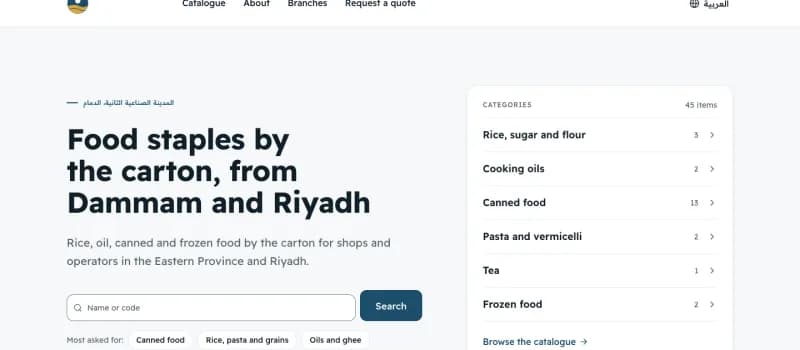 Example
Rimal Al-Dana Food Distribution
Food wholesale · Dammam and Riyadh
In the walkthrough: Standard invoices by the carton, sent to ZATCA before the buyer receives them.
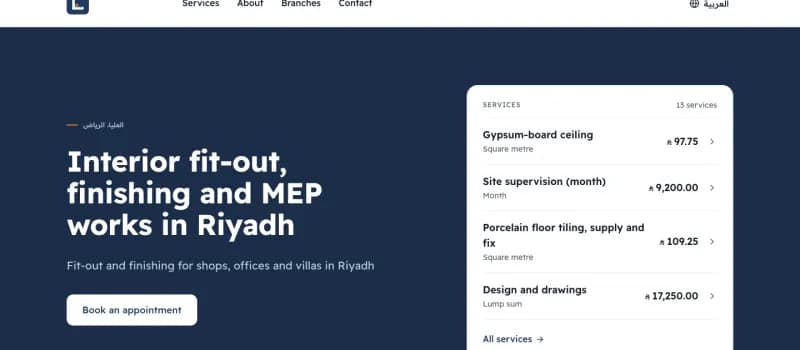 Example
Mistara & Zawiya Contracting
Fit-out contracting · Riyadh
In the walkthrough: A 30% advance invoiced with its VAT, then deducted from the final invoice.
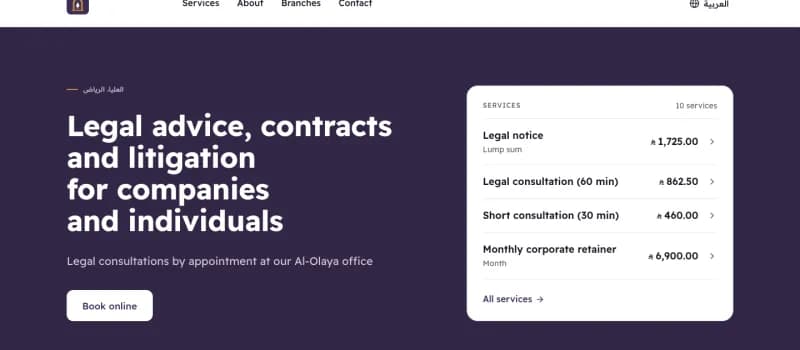 Example
Mishkat Law & Advisory
Law and advisory · Riyadh
In the walkthrough: A retainer invoiced up front and deducted from the month’s fees.
Examples: the businesses are invented; their invoices go to ZATCA’s test environment.
Questions
What people ask before they trust a free invoicing system.
- How do I create a tax invoice for free?
- Create an account, enter your business profile, connect a device with an OTP from the Fatoora portal, and issue the invoice. It is signed, QR-coded and reported or cleared with ZATCA. There is no charge and no limit on the number of invoices.
- Can I issue ZATCA Phase 2 e-invoices for free, not just Phase 1?
- Yes. The free account includes the integration phase: your own device certificate, the cryptographic stamp, clearance for standard invoices and reporting for simplified ones. That is the part most free tools leave to a paid plan.
- Is this really a free e-invoicing program? What is the catch?
- Yes, within the published limits: no card, and not a trial. Free for 1 branch, 3 users and 2 tills per branch, with up to 1,000 products. Unlimited invoices and customers. Nizamics earns when a business grows past them, from Plus, Pro and paid add-ons, and from custom software and integration work. If we ever change the free plan for existing accounts, we tell you 30 days before, and your full export stays free. It is provided as is, without an uptime guarantee; the terms of use say so plainly.
- Is it free accounting software too?
- Yes. Behind the invoices is a double-entry ledger with a Saudi chart of accounts, journal entries, period locks, a trial balance, profit and loss, a balance sheet and a VAT return view. Every invoice you issue posts itself. Payroll and automatic bank feeds are not part of it.
- Does the ZATCA e-invoicing subsidy apply?
- The support scheme described in vendors’ guides reimburses up to SAR 2,500 of first-year e-invoicing software cost for establishments under SAR 3 million in revenue: the owner pays first and claims back. This service costs nothing, so there is nothing to claim. If you choose paid software instead, confirm the current terms with ZATCA.
- Who is responsible for my invoices and my VAT return?
- You are. You remain the taxpayer: the correctness of each invoice and the filing of your VAT return are yours. Nizamics provides the software and is not a tax adviser. The terms of use set this out.
- Where is my data, and can I take it with me?
- In Saudi Arabia, in Oracle Cloud’s Jeddah region. Tax invoices and the ledger are kept for at least six years, as VAT law requires, and if you close the account, or simply ask, we send you an export of your records within 30 days of an emailed request. Two things go abroad only if you choose them: an AI assistant you connect, and analytics you allow. If you allowed analytics, Google Analytics is told when you reach four account milestones, such as issuing your first invoice, but never what any invoice says. Requests reach us through Cloudflare’s network, which may carry them outside the Kingdom on the way. The privacy policy has the detail.
This page describes software, not tax advice. Dates and thresholds come from ZATCA’s announcements; your own notification from ZATCA is what binds you. Read the terms of use and the privacy policy before you sign up.
Go deeper