Included, free
Appointments, from the booking to the ZATCA invoice.
Clients book a free time on your own website. The front desk runs the day on one board of people, rooms and devices. When the visit ends, the till issues the tax invoice, deducts any deposit and marks the appointment paid, in the same account as your accounting.
The free plan covers 2 people taking bookings. Someone who only needs their own day signs in as a Service provider, which does not use one of your users.
Add your services, tick “Takes appointments” for the people who do them, set your opening hours, and book your first client. Turn on online booking in Settings when you are ready.
 Demo company
Where this actually stands
It runs the day. Three things it does not do.
The board, online booking on your site, rooms and devices, deposits and checkout at the till are all in the product today. Three things are not. It sends no WhatsApp or SMS by itself: confirmations and reminders go by email to clients who gave an email and agreed, and when someone runs late the front desk presses “Tell the client”, which opens WhatsApp with the message written, and sends it. It takes no payment online: a deposit is paid at your counter or by transfer and recorded as an advance-payment invoice. And it keeps no medical or client records beyond a plain note: a clinic keeps its clinical system and uses this for the front desk, the invoices and the books. We would rather you read that here than find it out in your first week.
What it does
Each part, with its real status.
In the product= live in the product today
- Demo company
 In the product
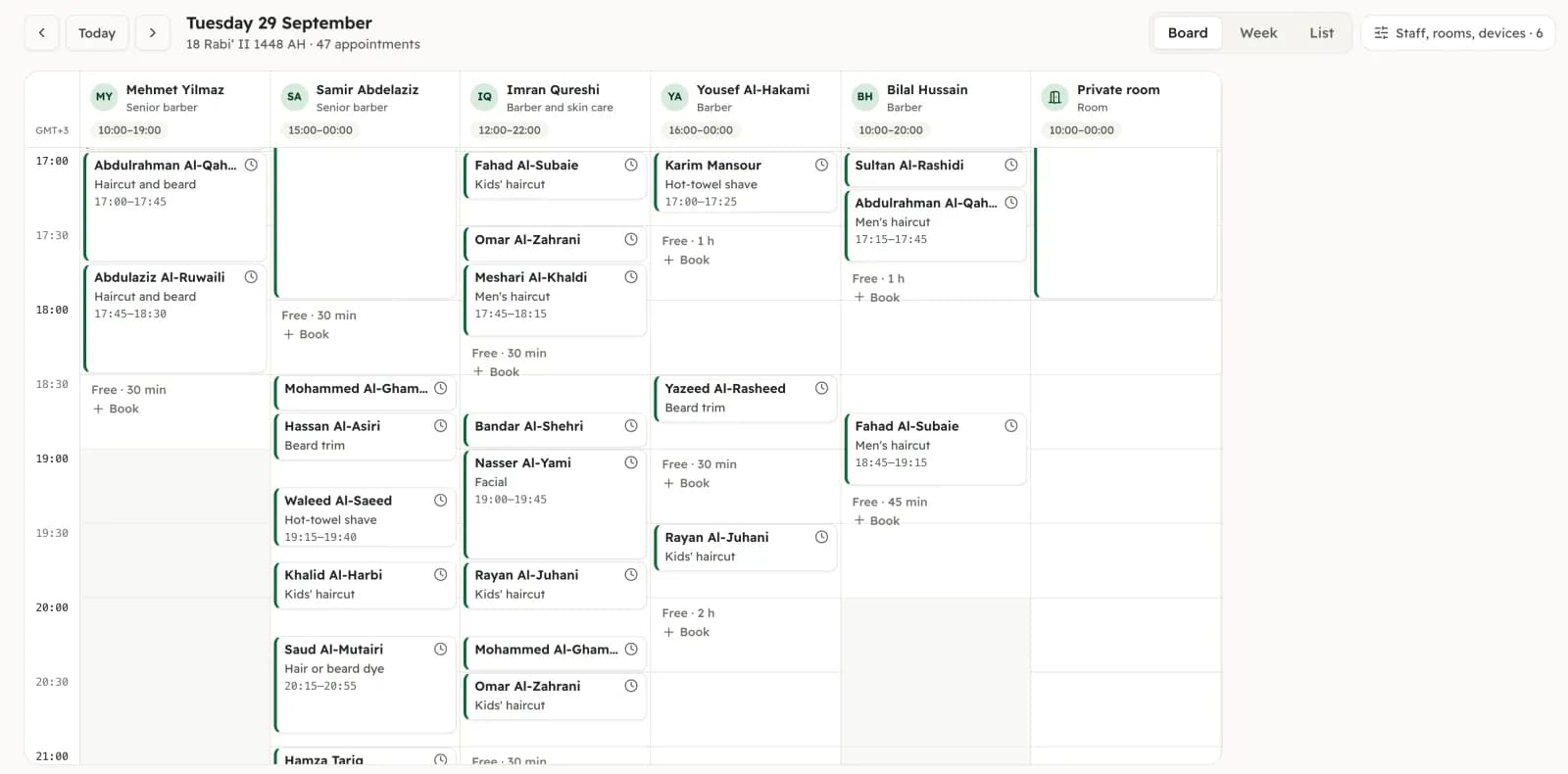
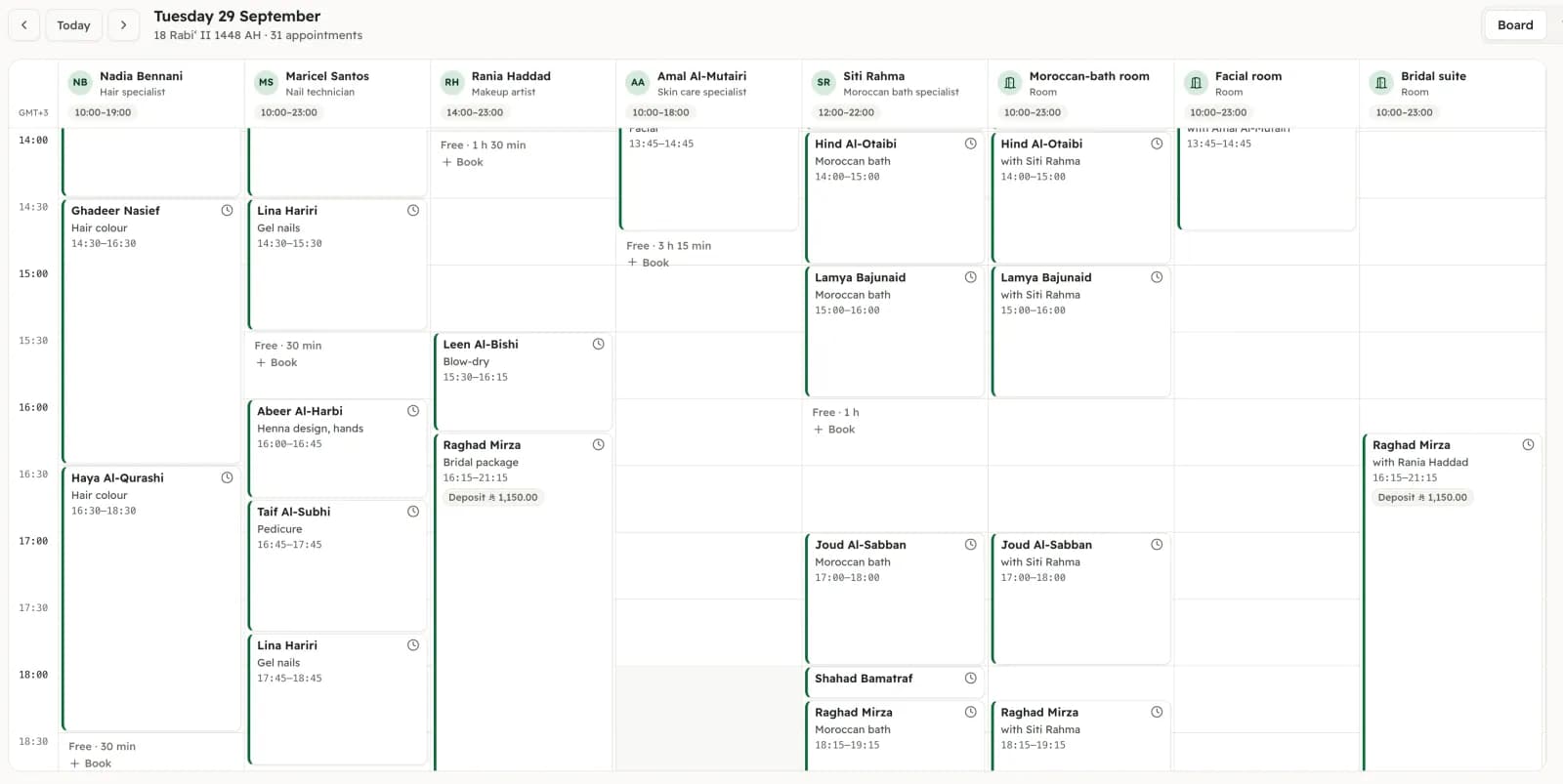
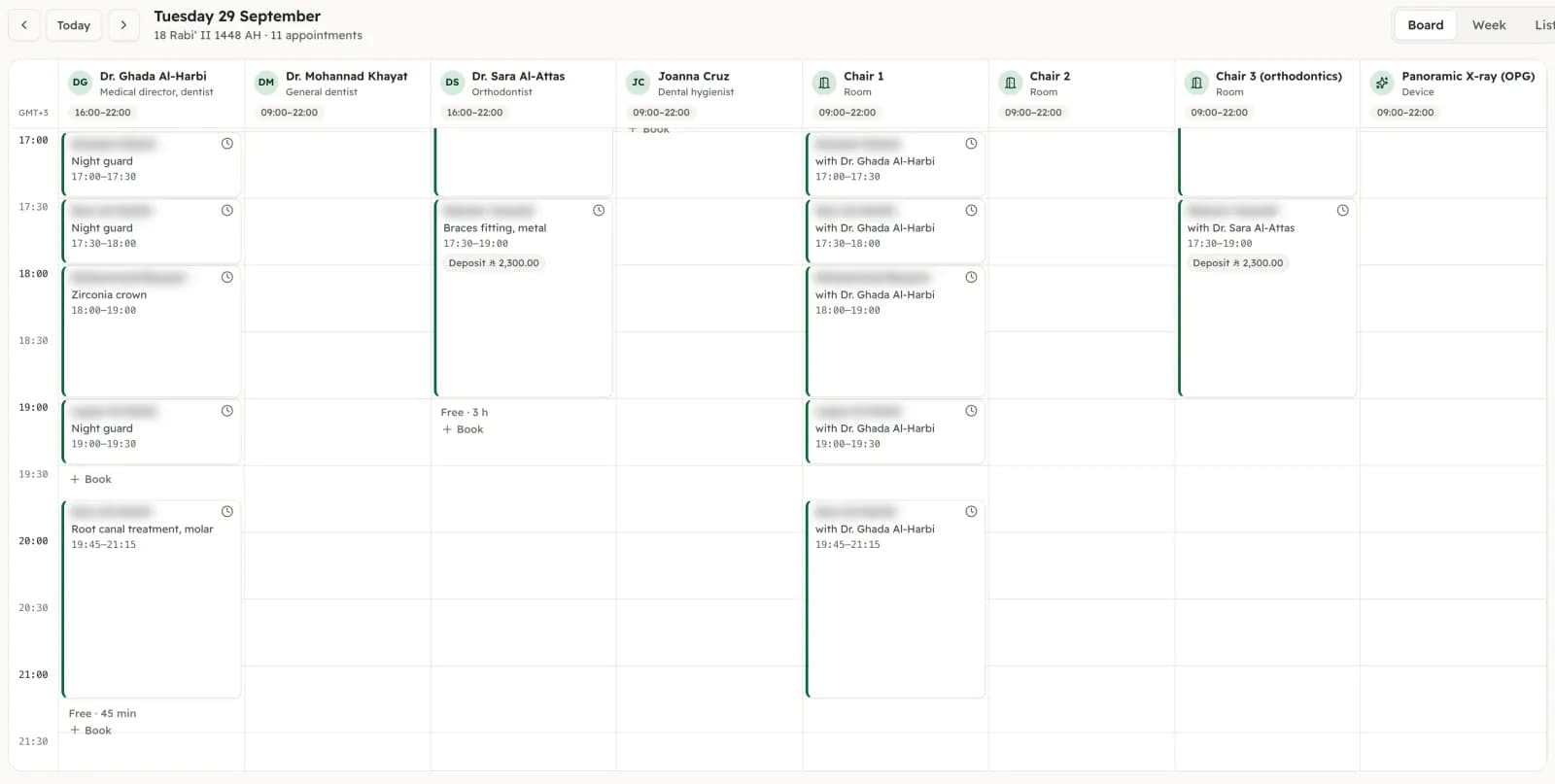
The front-desk board
The day in columns, one per person, room and device, in Riyadh time, with a line for now. Switch between Board, Week and List. The side panel counts who is in service, waiting, late and free, lists what needs you, and shows who is ready to pay.
- Demo company
 In the product
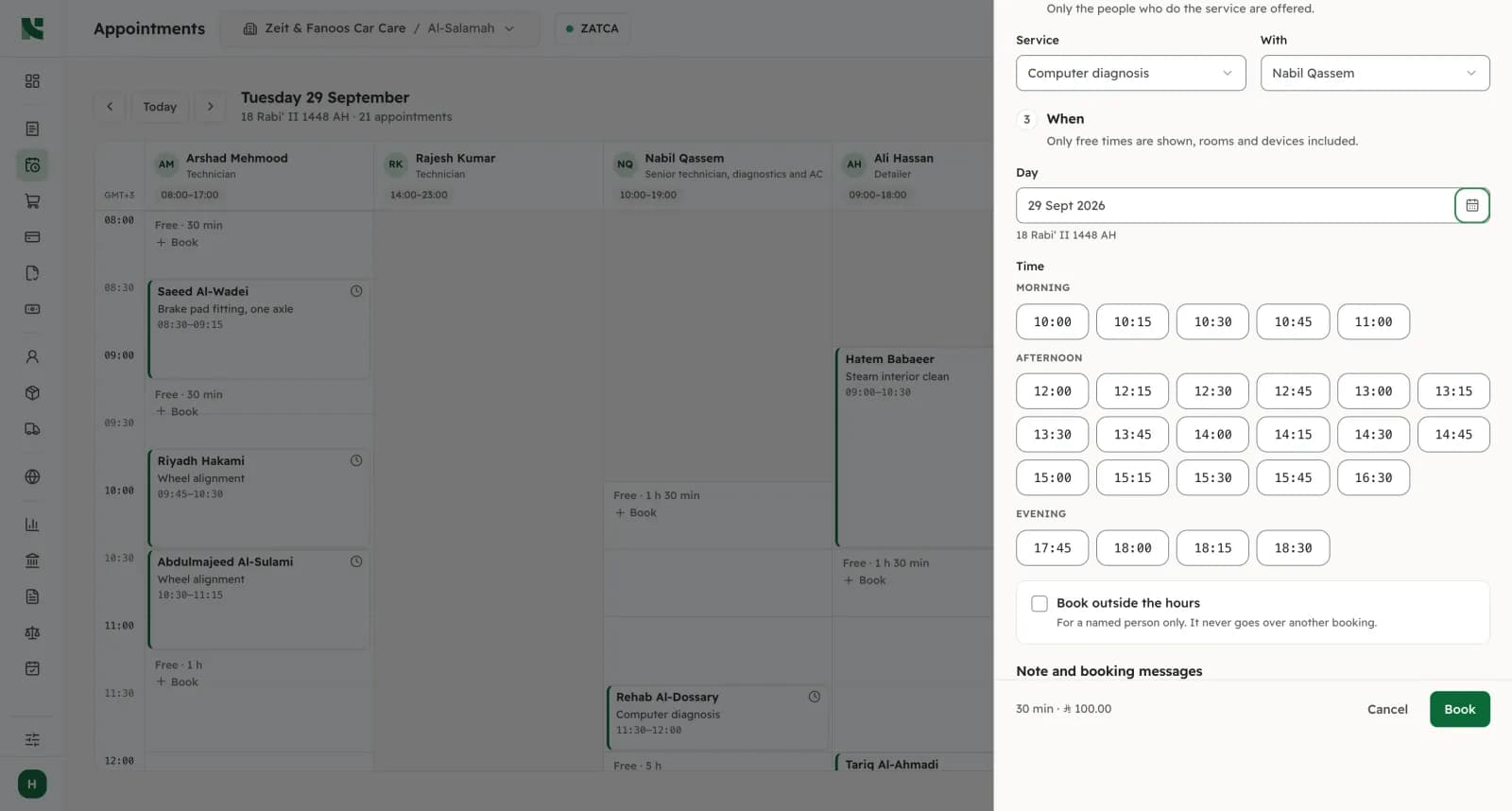
One time, one booking
A person, a room or a device cannot be booked twice for the same minutes. The check is made by the database itself, so two receptionists and the website booking the same slot at once still end with one appointment. The desk and the booking page only ever offer free times.
- Demo company
 In the product
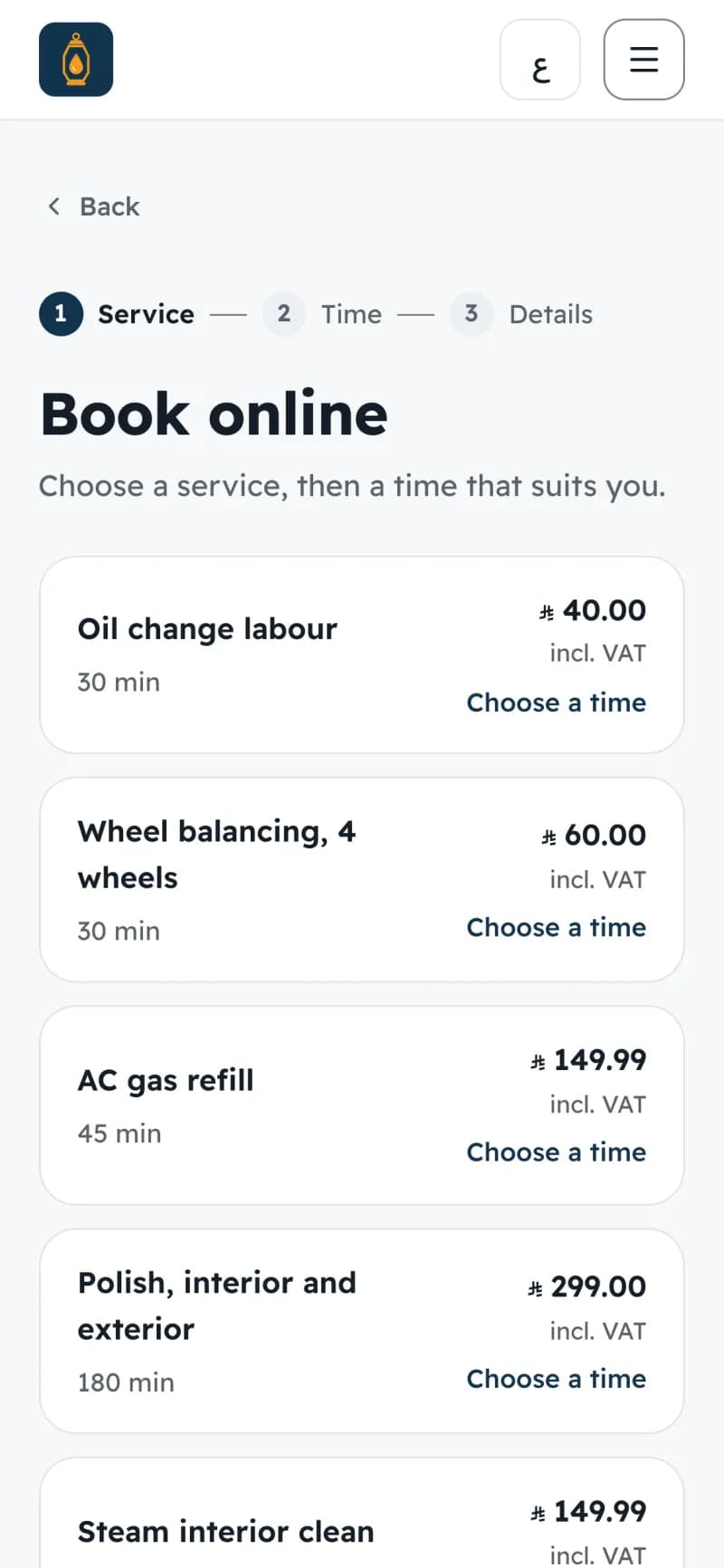
Online booking on your own website
Clients pick a service, a person or “Anyone”, a day and a free time, then leave a name and a mobile. No app and no account. They get a page to change or cancel until the cut-off you set, and an “Add to calendar” file. Share the booking link on Instagram, WhatsApp Business and your Google Business Profile.
- Demo company
 In the product
Rooms and devices
A service can need a room or a device as well as a person: a treatment room, a bay, an X-ray unit. Both are held together. A service can also have processing time, when the client stays but the person is free, and a buffer after it for cleaning.
- Demo company
 In the product
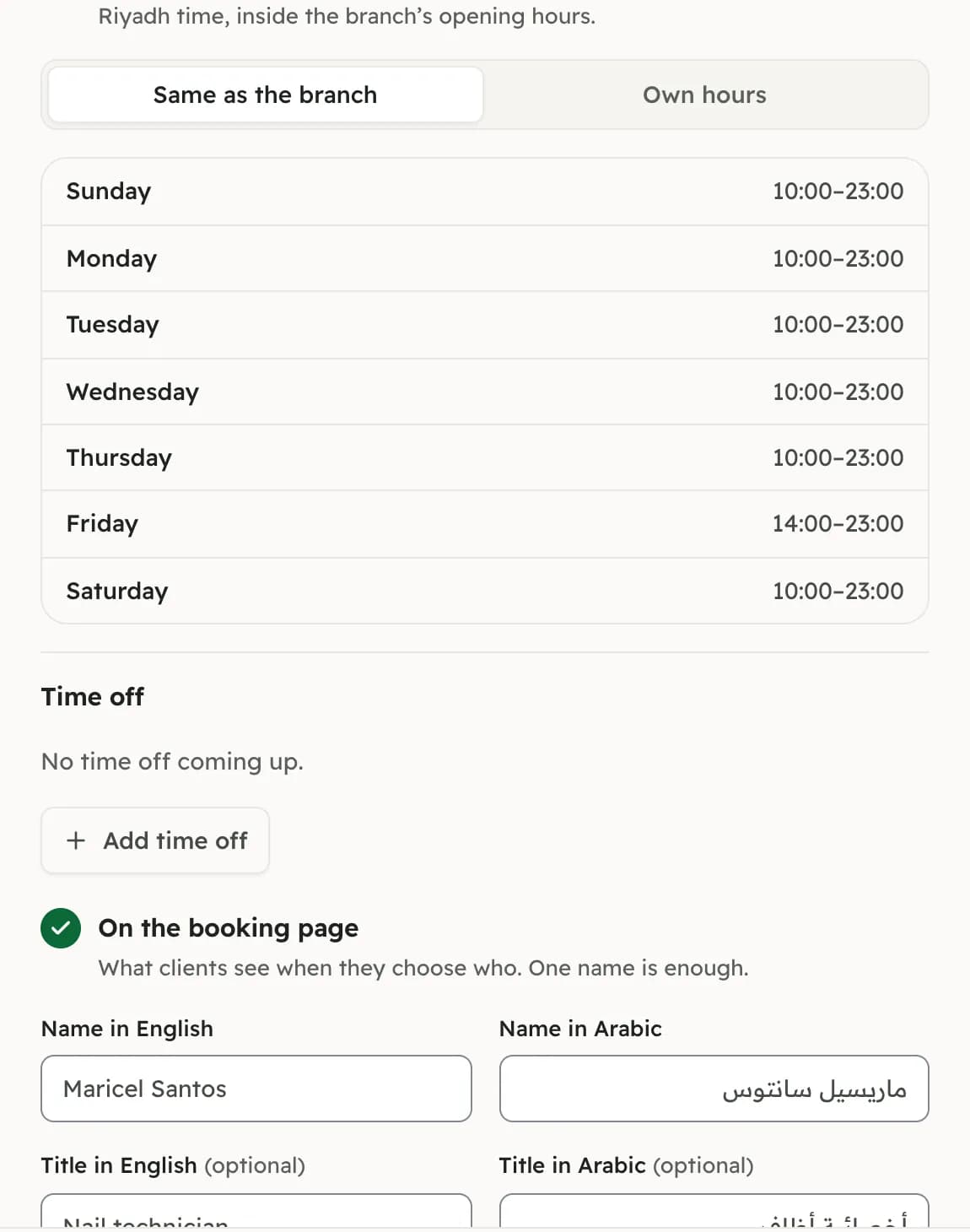
Hours, and time off
Each branch has its opening hours, and each person can have their own inside them. Time off is asked for from the person’s own day and approved by a manager; once approved, those times disappear from the booking page.
- Demo company
 In the product
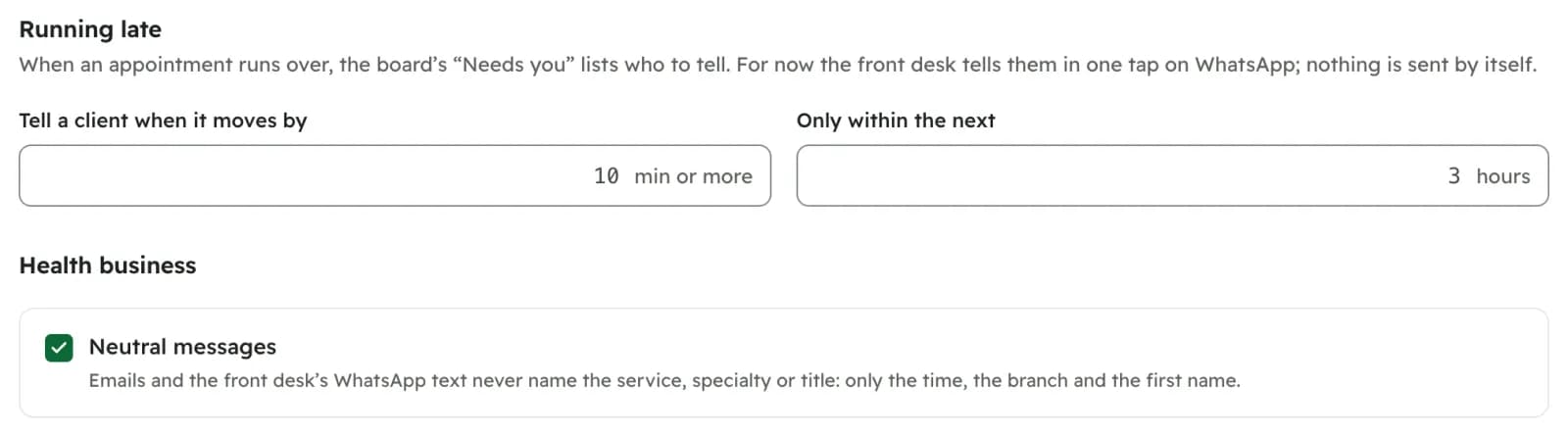
Running late, seen before it happens
When a visit runs over, the person adds 5, 10 or 15 minutes, and the board shows when each of their next clients is now expected. Nothing booked moves by itself. “Needs you” lists who should be told, and “Tell the client” opens WhatsApp with the message written in Arabic and English; the desk presses Send.
- Demo company
 In the product
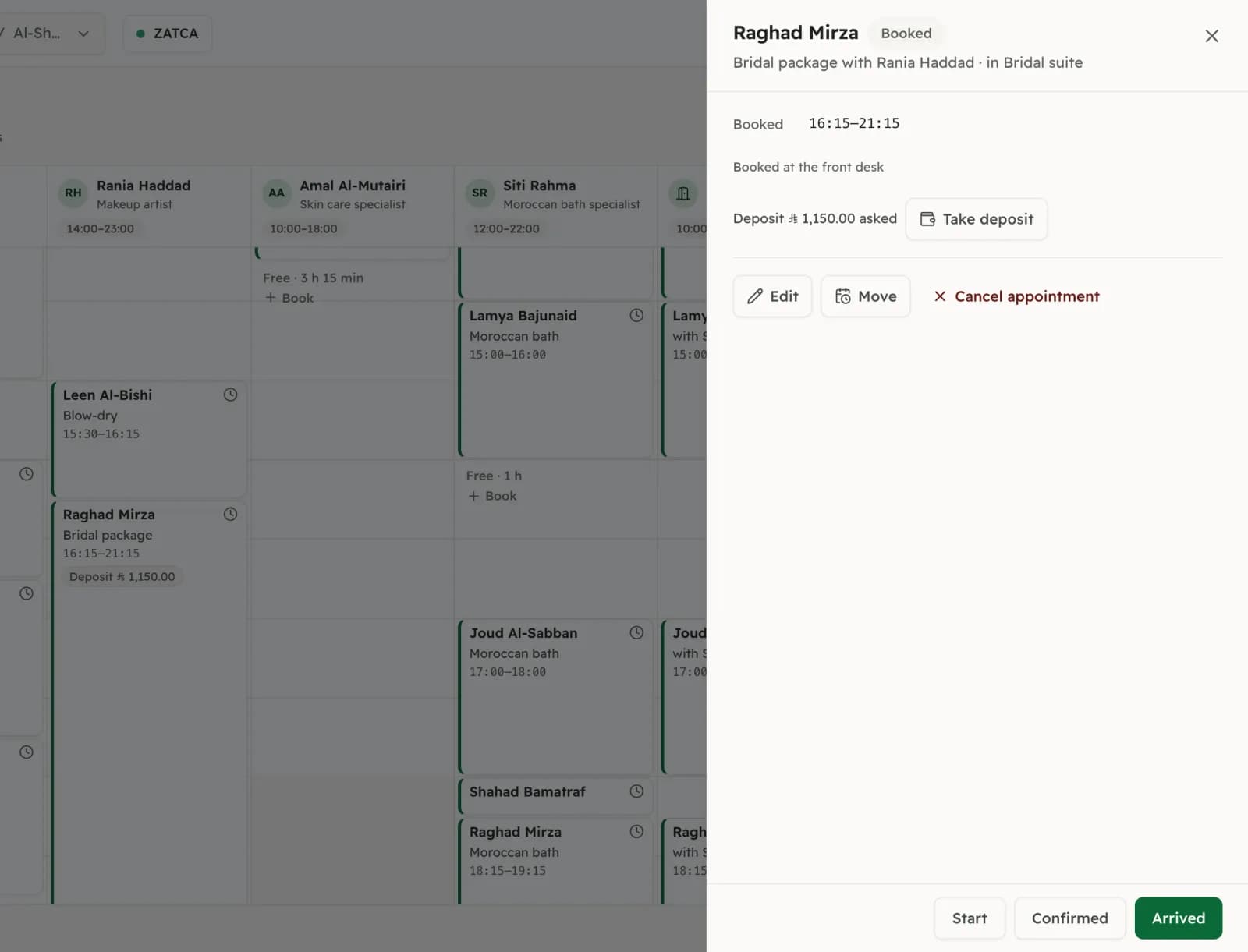
Deposits as advance-payment invoices
Take a deposit at the desk and it is issued as a ZATCA advance-payment invoice, which is when VAT on it is due. At checkout the till deducts it by itself. Your rules can ask for a deposit on services above a price, or from a client who missed earlier appointments.
- Finished visit
- Till
- Simplified tax invoice · QR
- Reported to ZATCA · appointment paid
In the productCheckout at the till
A finished visit comes into the till with its service. Add a product from the shelf if the client buys one. The till issues the simplified tax invoice with its QR code, signed and reported to ZATCA, and marks the appointment paid in the same step. The sale, the VAT and the stock movement are already in your books.
- Demo company
 In the product
Email confirmations and reminders
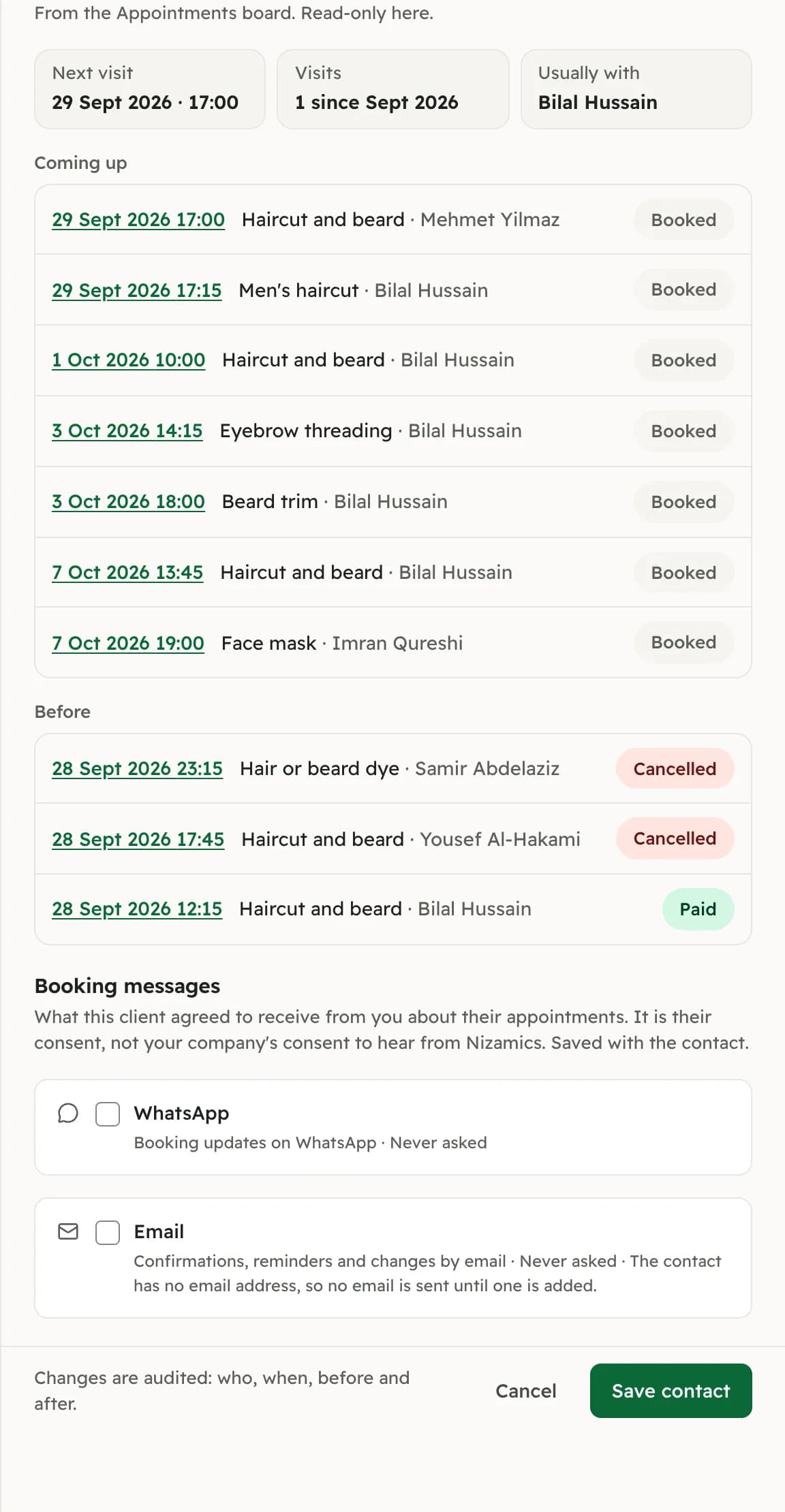
The client gets an email when the appointment is booked, a reminder the day before, and a note if it changes or is cancelled, each with the link to change or cancel. Only to clients who gave an email and agreed to booking messages; the consent is kept on the contact.
- Demo company
 In the product
“My day” for the people doing the work
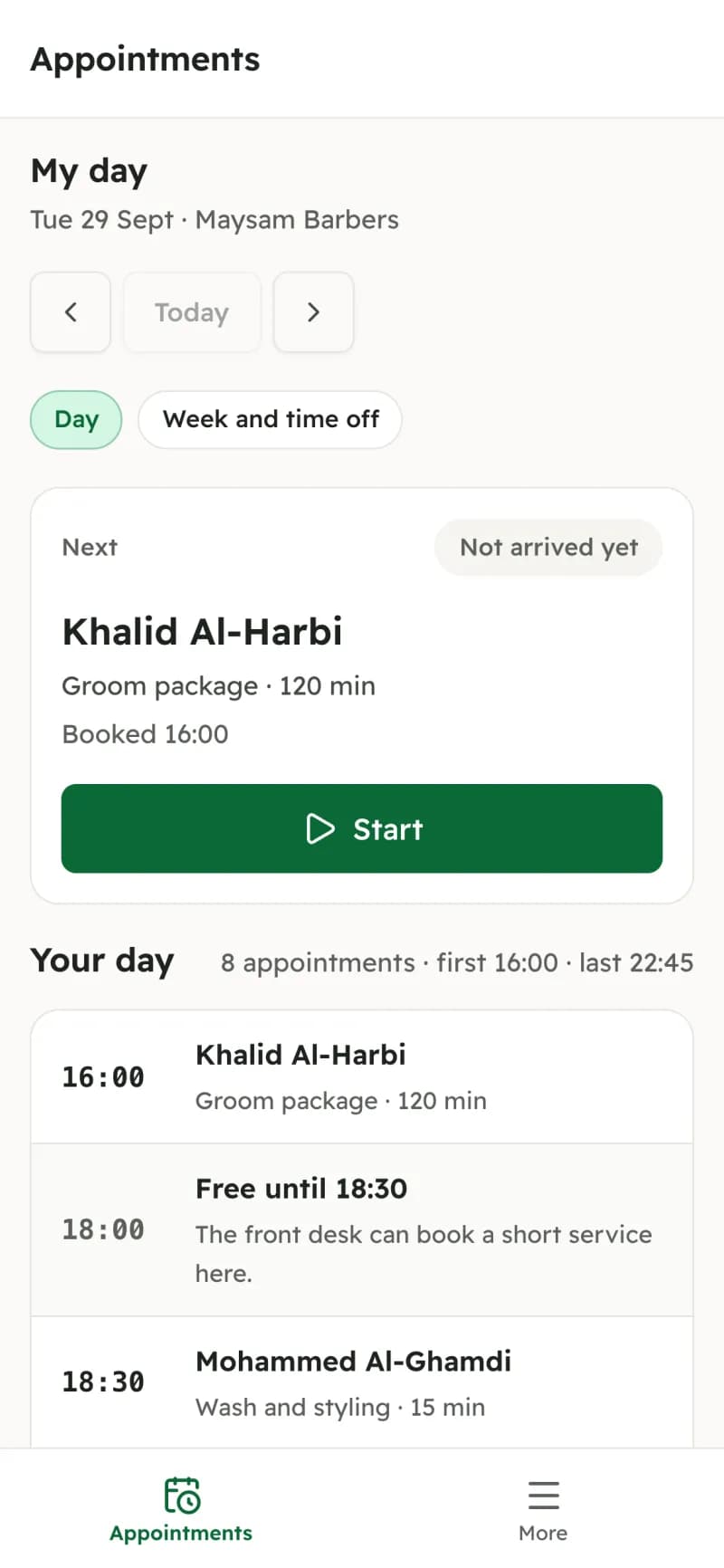
Each barber, therapist or consultant sees their own day on their phone: who is next, Start, Add time, Finish, and their week and time off. They see no phone numbers and no prices. Someone with only this view does not use one of your users.
- Demo company
 In the product
The appointments report
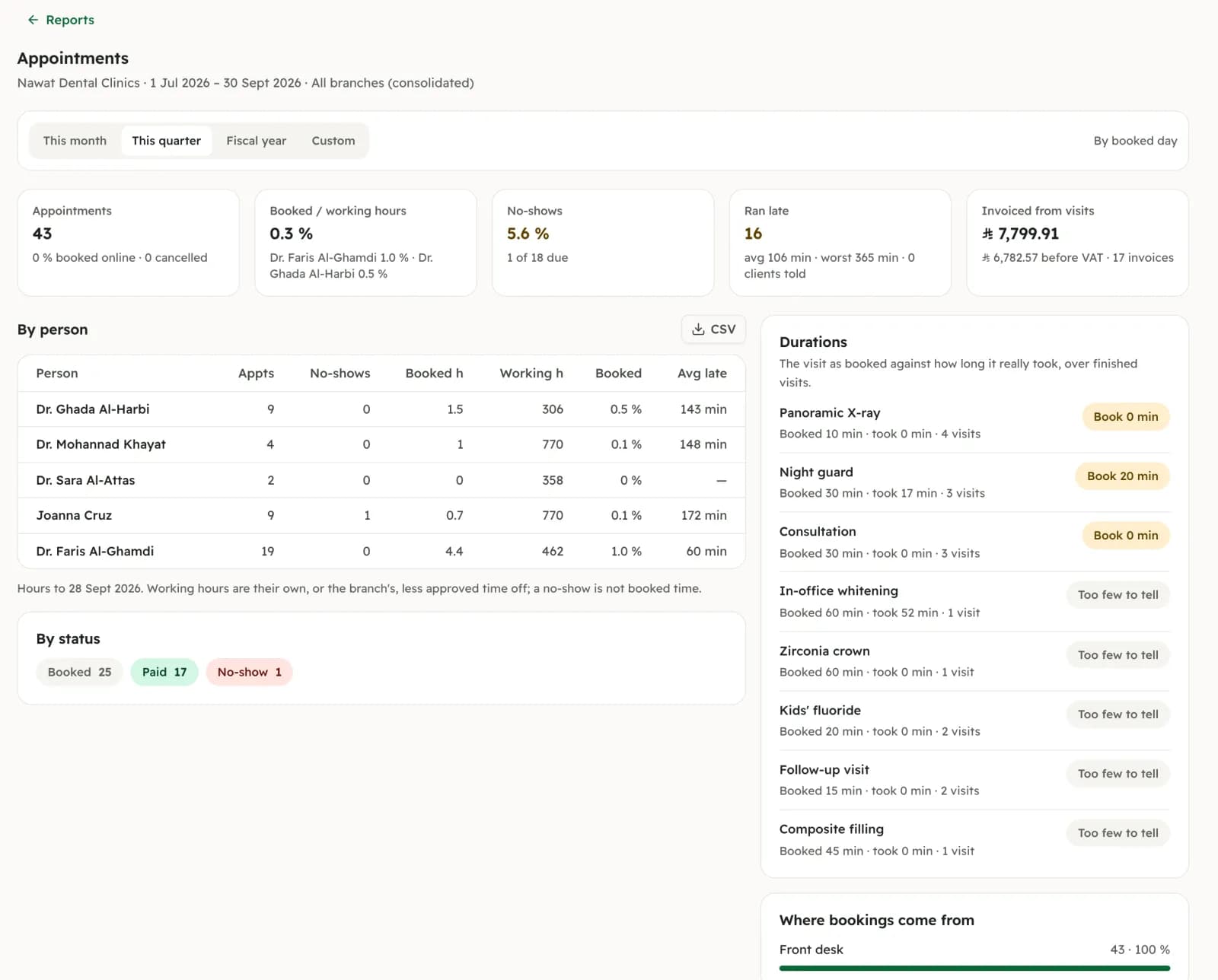
For any range: booked against working hours for each person, no-shows, how late visits started, how long each service really took against its booked time, where bookings came from (desk, website, assistant), and what the visits invoiced.
How a visit flows
One visit, start to finish.
Nothing is typed twice. The booking, the deposit, the invoice and the entry in the books are one record moving along.
Booked
A client books Thursday at 5 pm on your site, or the desk books them by phone. The client is matched by mobile number, or added to your contacts.
Deposit
If the service asks for one, the desk takes it and it is issued as an advance-payment invoice.
Reminder
The day before, a reminder email goes to a client who agreed to it.
The visit
Arrived, Start, Finish on the board. If it runs over, the board shows who is affected.
Checkout
The till deducts the deposit and issues the simplified invoice, reported to ZATCA.
In the books
Revenue, VAT and the day’s appointments are already in your reports.
Who it suits
Any business that sells its time.
The same board works whether the time is a chair, a room or an hour with a professional.
A person and a chair
Barbers, hair and nails, massage. Clients choose someone, or “Anyone” to see the most times; walk-ins go into a free slot on the board.
Demo companyA person and a room or device
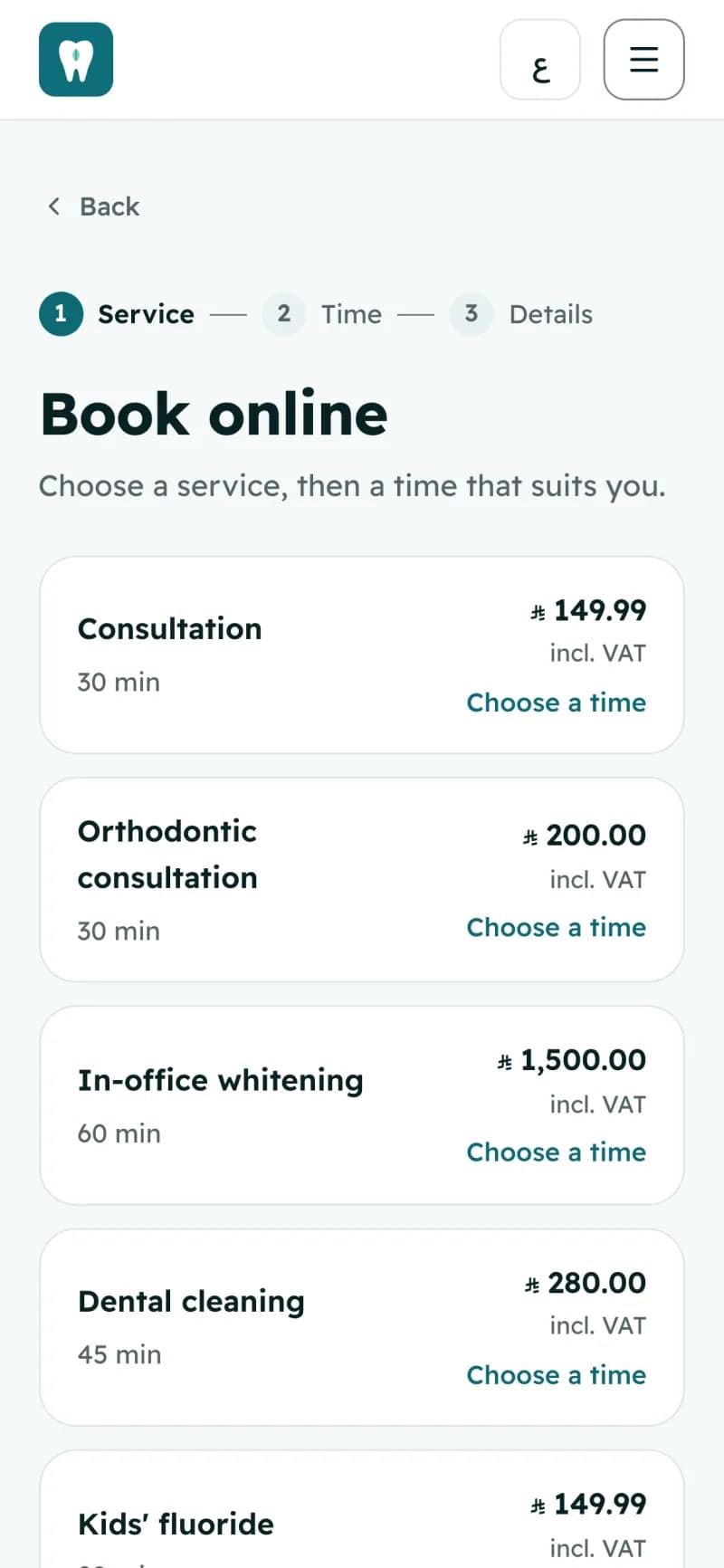
Treatment rooms, a laser, an X-ray unit, a car bay. The room is held with the person, so it is never booked twice.
Demo company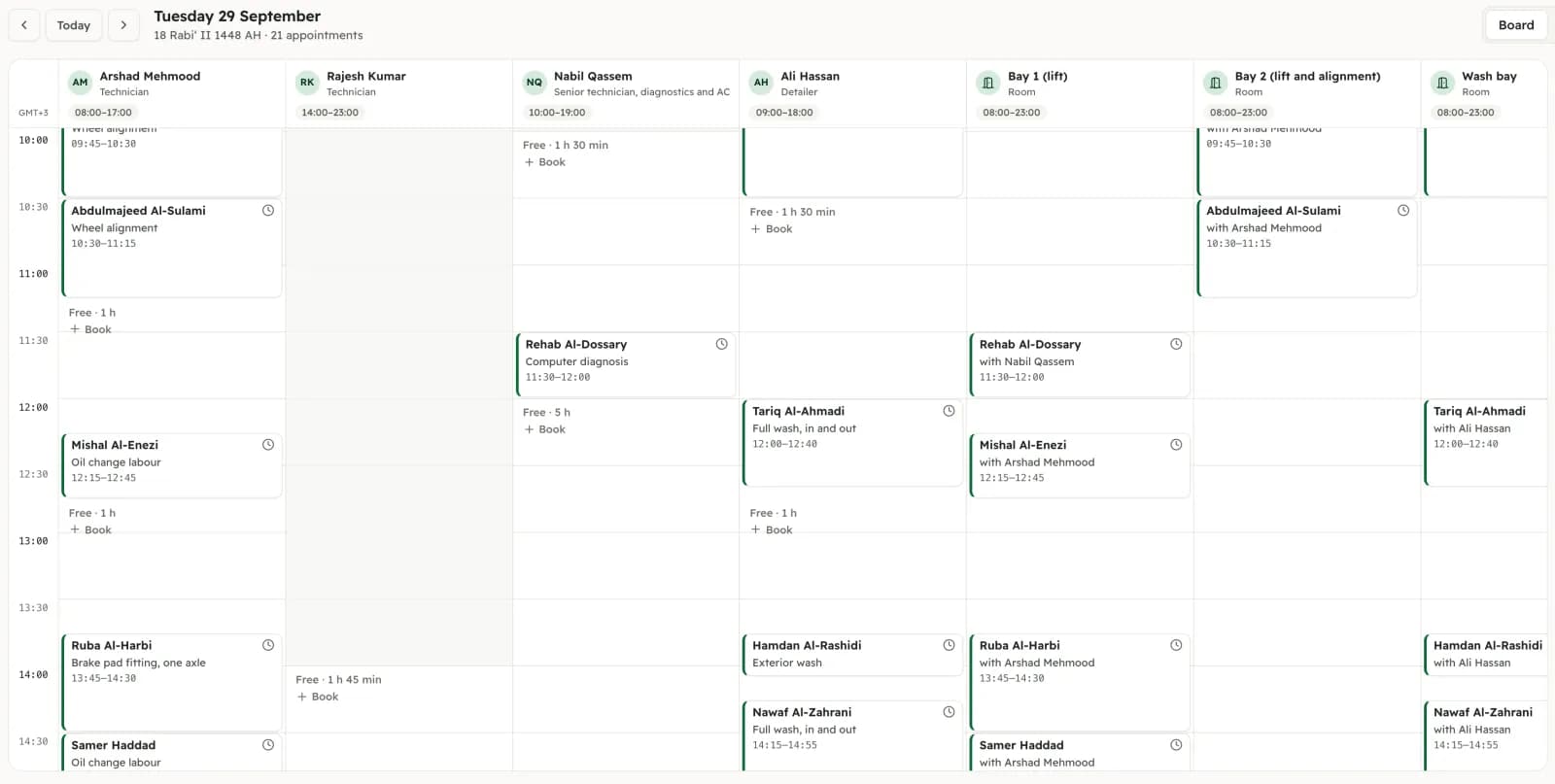
An hour with a professional
Lawyers, accountants, consultants. Book the consultation, and invoice a company client with a standard tax invoice from the invoice screen.
Demo company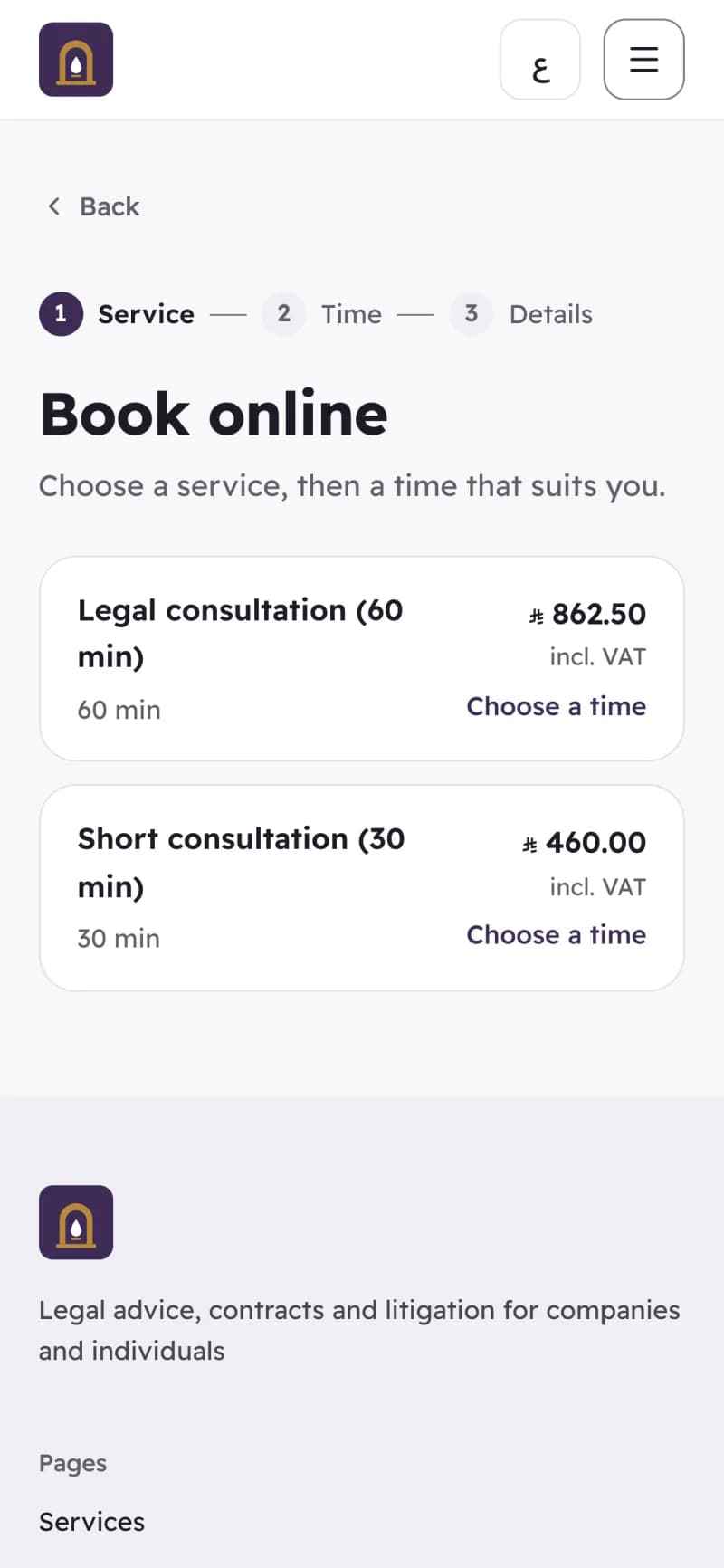
Privacy
It asks your clients for less.
A name and a mobile
The booking page asks for a name and a mobile, and an email if the client wants email updates. It never asks for an ID number or a date of birth.
Neutral messages
Turn it on and emails and the desk’s WhatsApp text name no service, specialty or title: only the time, the branch and a first name.
Staff see their day, not your client list
The people doing the work see their own appointments without phone numbers or prices.
Stored in the Kingdom
Appointments are stored with the rest of your books on our servers in Jeddah.
Privacy policy
 Demo company
Questions
What owners ask before they switch.
Is it really free, and how many people can take bookings?
Yes, within limits we publish. The free plan covers 2 people taking bookings, with unlimited appointments. Plus covers 5 people taking bookings and Pro 15 people taking bookings, and one more person is an add-on of SAR 40.25 a month with VAT. Receptionists use your normal users; someone who only needs their own day signs in as a Service provider and does not use one. Free for 1 branch, 3 users and 2 tills per branch, with up to 1,000 products. Unlimited invoices and customers.
Does it send WhatsApp or SMS reminders?
No. Confirmations, the day-before reminder, changes and cancellations go by email, to clients who gave an email and agreed. WhatsApp is one tap for your front desk: “Tell the client” opens WhatsApp on their phone or computer with the message already written in Arabic and English, and they press Send. Nothing is sent on WhatsApp without a person pressing Send.
Can clients pay a deposit online?
Not yet. The booking page tells the client the service asks for a deposit and that you will tell them how to pay it. You take it at the counter or by bank transfer and record it as an advance-payment invoice, and the till deducts it at checkout.
Do my clients need an app, and do I need a website?
Clients need neither an app nor an account: they book in the browser. The website is part of your account: every company can publish one at yourname.nizamics.site, and your own domain comes with Plus. Booking appears on it once three things are set: a branch with opening hours, someone who takes appointments, and a service they can book online. Until then the site takes appointment requests through its enquiry form.
Is it suitable for a clinic?
For the front desk, yes: bookings, chairs, rooms and devices, deposits, invoices and the books. It is not a clinic management system. It keeps no medical records, treatment notes or images, and does not handle insurance claims, NPHIES or e-prescriptions, so a clinic keeps its clinical system beside it. The booking page never asks for an ID or a date of birth, and “Neutral messages” keeps the service out of every email.
What happens when a visit runs over?
The person doing it adds time from their phone or the desk adds it on the board. The board then shows when each later client of that person is expected, and “Needs you” lists the ones worth telling. Bookings themselves do not move, and nobody is messaged automatically: the desk decides, calls or taps “Tell the client”, or moves someone to another free person.
I am not VAT-registered yet. Can I use it?
Yes, for bookings, the board and your website. Issuing a tax invoice needs your VAT number, so checkout at the till and deposits as advance-payment invoices start the day you have one.
This page describes software, and each part is marked with where it really stands. It is not tax or medical advice. Read the terms of use and the privacy policy before you sign up.
Included, free
The free plan covers 2 people taking bookings.
Someone who only needs their own day signs in as a Service provider, which does not use one of your users.