Included, free
Your business website, built from what you already sell.
Choose an address and a look, and the site fills itself from Nizamics: your products and services with their prices including VAT, your branches and opening hours, your logo and colours. Visitors can ask for a quote, book a time or send an order request, and each one arrives where you already work: in your contacts, on the appointments board, or as a draft invoice.
Free at yourbrand.nizamics.site, in Arabic and English, with a small Nizamics mark. Your own domain, without the mark, comes with Plus.
Open Website in the menu and publish when you are ready. Nothing is public until you do.
 Demo company
 Demo company
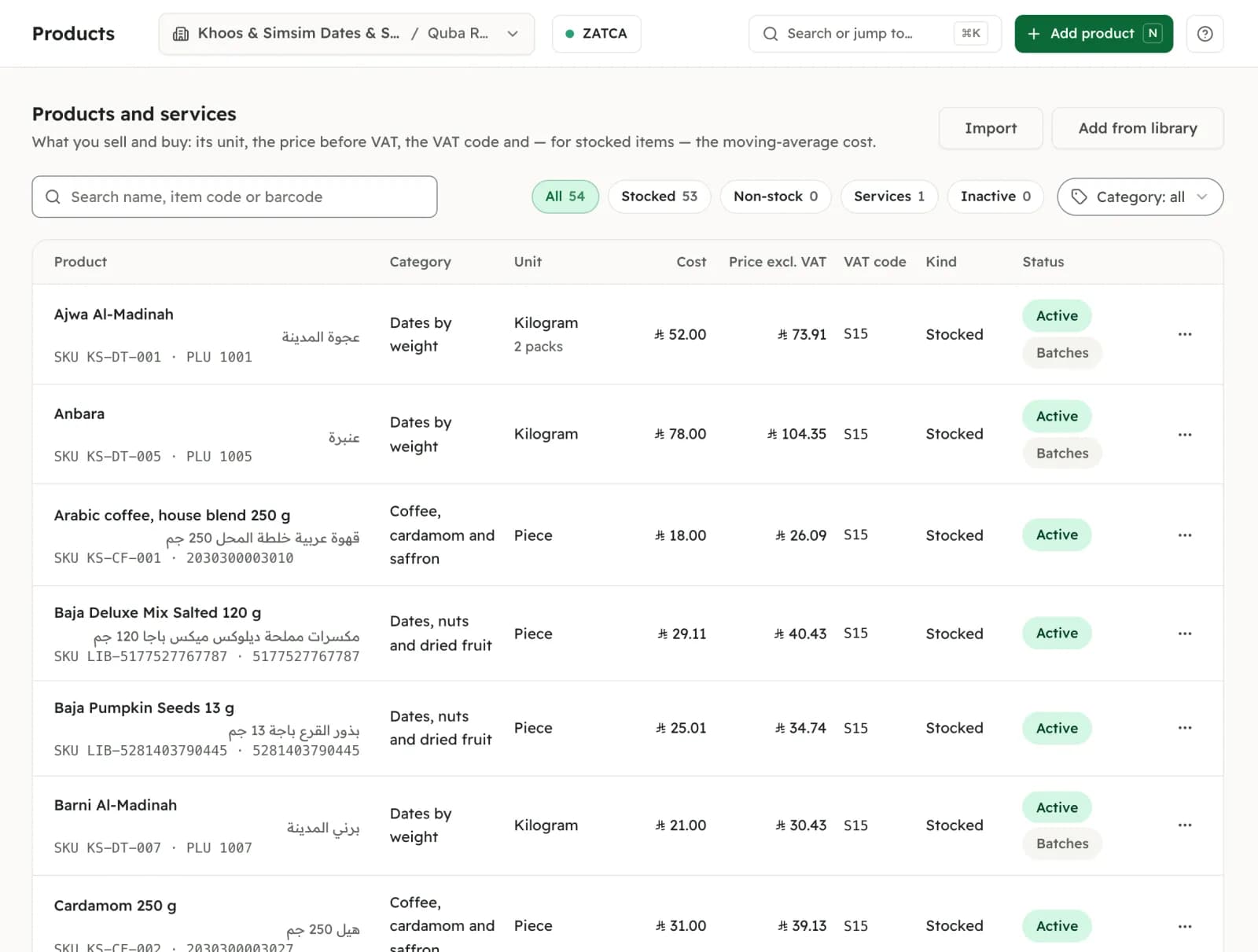
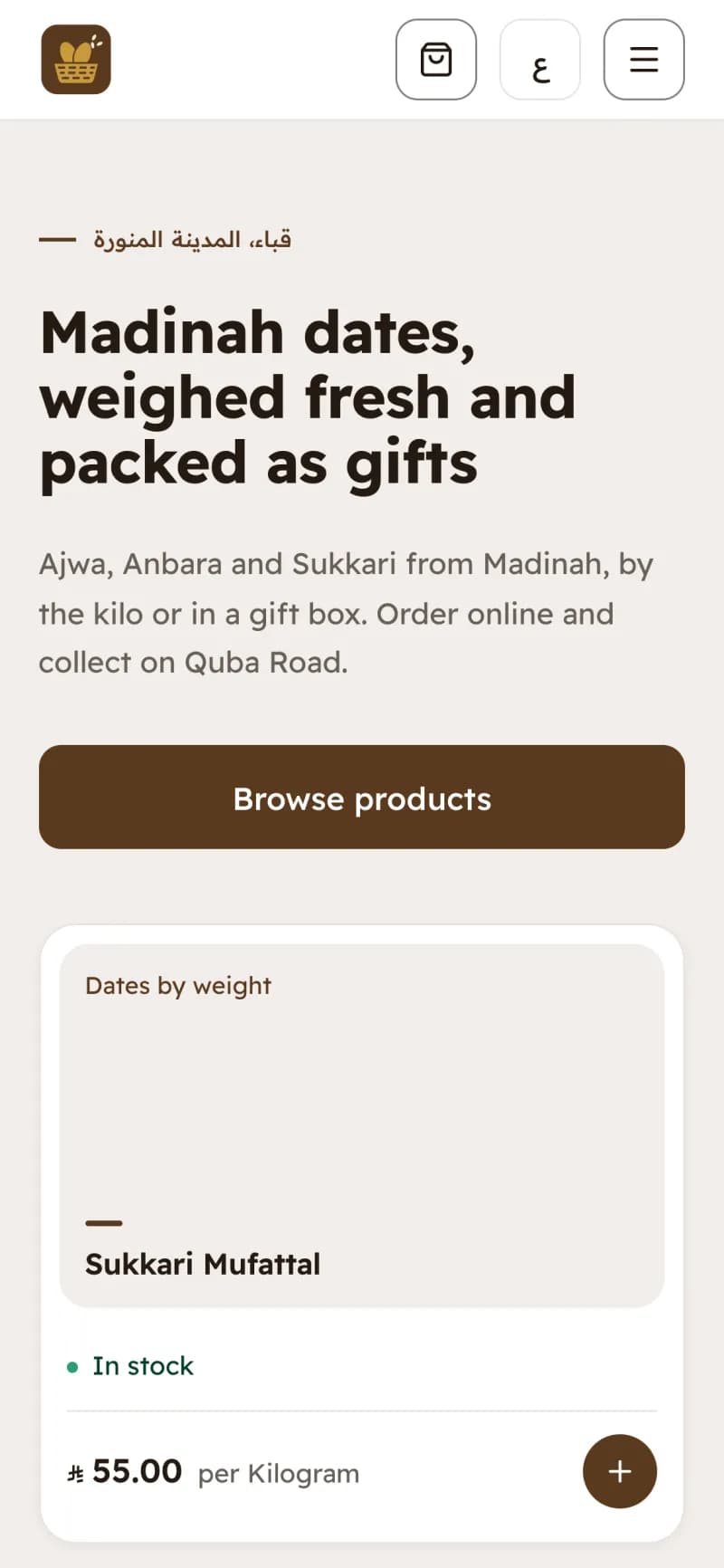
One price, typed onceAjwa Al-Madinah: 73.91 before VAT in Products shows as 85.00, VAT included, on the site.
Where this actually stands
It takes orders. It does not take payment yet.
The online store takes order requests. A visitor fills a cart, chooses pickup at your branch or your own delivery for a flat fee, and sends it with nothing to pay. You call to confirm, and they pay you when they collect it or when you deliver. There is no card payment on the site, no link to shipping companies and no delivery tracking, and the store needs a VAT number, because every order becomes a tax invoice. If most of your sales happen online and you need card payment and shipping today, a dedicated e-commerce platform does that now. What this site does is put the business you already run on the web, with nothing typed twice.
Today
- Order requests from a cart
- Pickup at your branch, or your own delivery for a flat fee
- The buyer pays you at pickup or on delivery
Not yet
- Card payment on the site
- Links to shipping companies
- Delivery tracking
Set up
A free website in three steps.
Everything on the site comes from Nizamics, so there is nothing to fill in twice and nothing to keep in sync.
Choose your address
yourbrand.nizamics.site, with Arabic and English published together; visitors switch with one tap. You can change the address until the first publish. After that it stays yours and does not change.
Choose a look
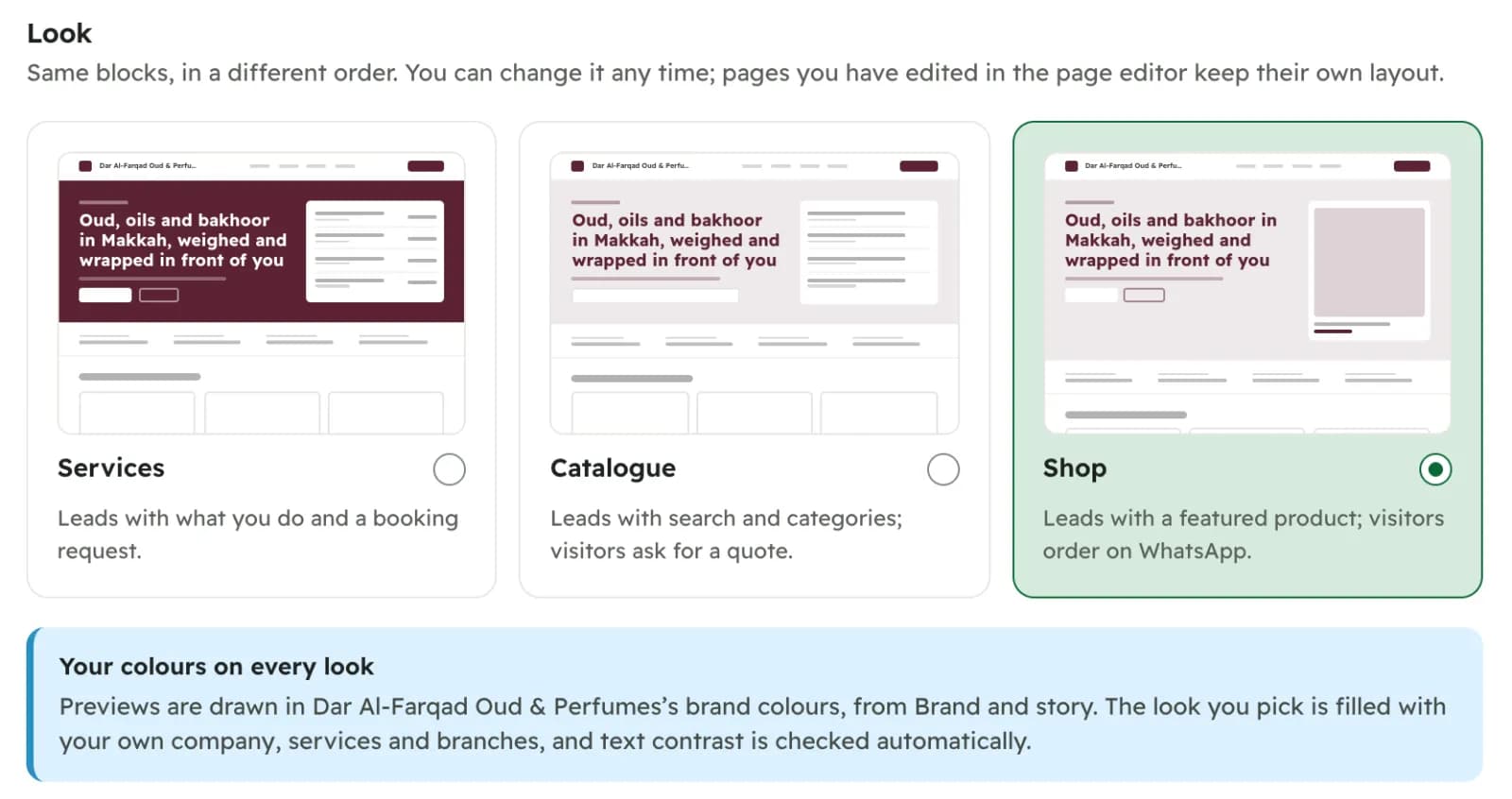
Services, Catalogue or Shop: the same blocks in a different order, drawn in your brand colours, with text contrast checked for you. Change it whenever you like.
Check and publish
You see everything that will be published and a short list of what would make it better: a description here, opening hours there. None of it stops you publishing. Only the company owner can publish.
 Demo company
What it does
Each part, with its real status.
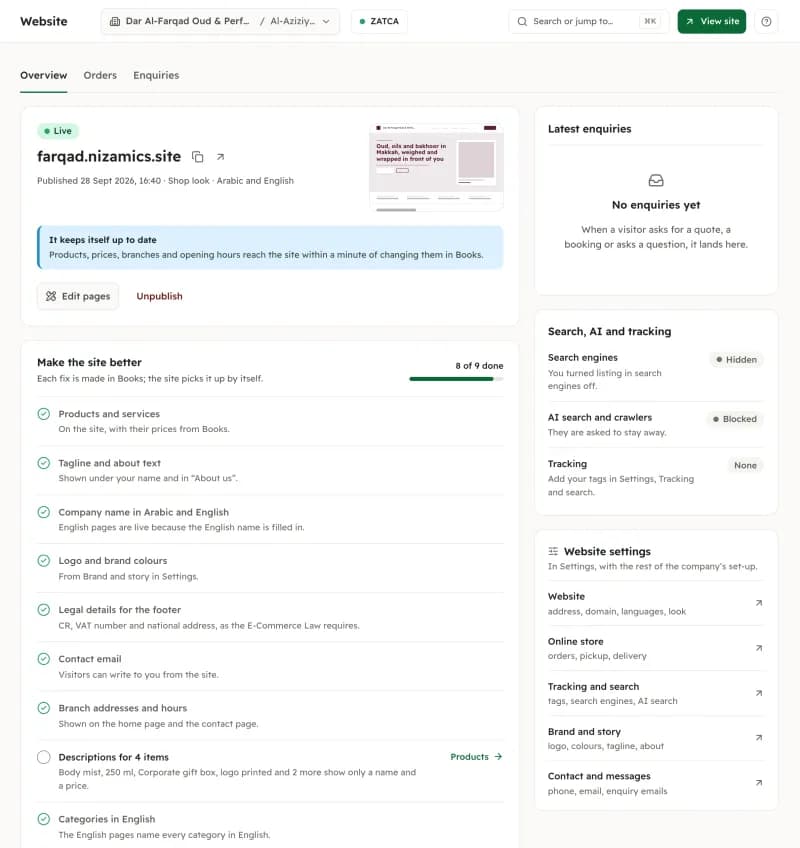
- In the product
Filled in from Nizamics
Every active product and service you sell appears with its price including VAT, worked out exactly as on an invoice line, and "In stock" or "Out of stock" from your branches. Branch addresses and hours, your logo, colours, tagline and about text come from the same place. Change a price in Nizamics and the site shows it within a minute.
- In the product
You choose what shows
Hide an item from the website and it stays in your products and on your invoices. Feature the ones you want first on the home page. An item without a price shows "Ask for price".
- In the product
A page editor
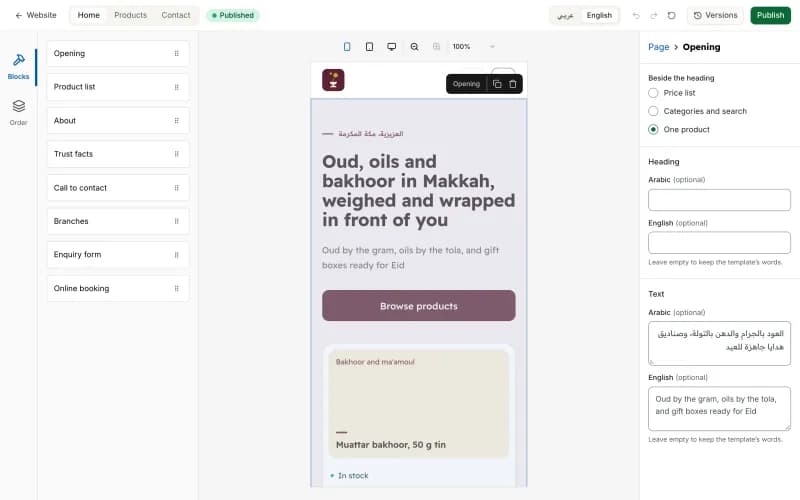
Arrange the Home, Products and Contact pages from blocks: an opening, a product list, about, trust facts, branches, an enquiry form and online booking. Preview both languages on a phone, a tablet or a desktop, and bring back any of the last 10 published versions. The editor needs a computer or a tablet held sideways.
- In the product
Enquiries by email
A question, a quote request or a booking request from the site arrives in Website → Enquiries and by email. You see how the visitor found you (search, an ad, a WhatsApp link) and can turn the enquiry into a contact in one step.
- In the product
Online booking
Clients pick a service, a time and, where you allow it, the person, from the same free times your front desk sees, and get a link to change or cancel before your cut-off. The booking lands on your appointments board.
- In the product
Order requests as draft invoices
Visitors send a cart for pickup or local delivery. It reaches Website → Orders with the draft invoice already written from the branch you chose. You confirm it and issue the invoice when you are paid.
- In the product
Your own domain, on Plus
Put the site on www.your-company.sa. Plus includes 1 domain and Pro 3 domains, without the Nizamics mark. The nizamics.site address keeps working and sends visitors there.
- In the product
Your ad and analytics tags
Paste your Google Tag Manager, GA4, Google Ads, Meta, TikTok, Snap, X or LinkedIn ID. They load only after a visitor accepts cookies, and the banner tells visitors those companies receive the data.
Looks
One site, three ways to lead.
Pick the one that matches how your customers buy. The blocks are the same; the order changes.
 Demo company
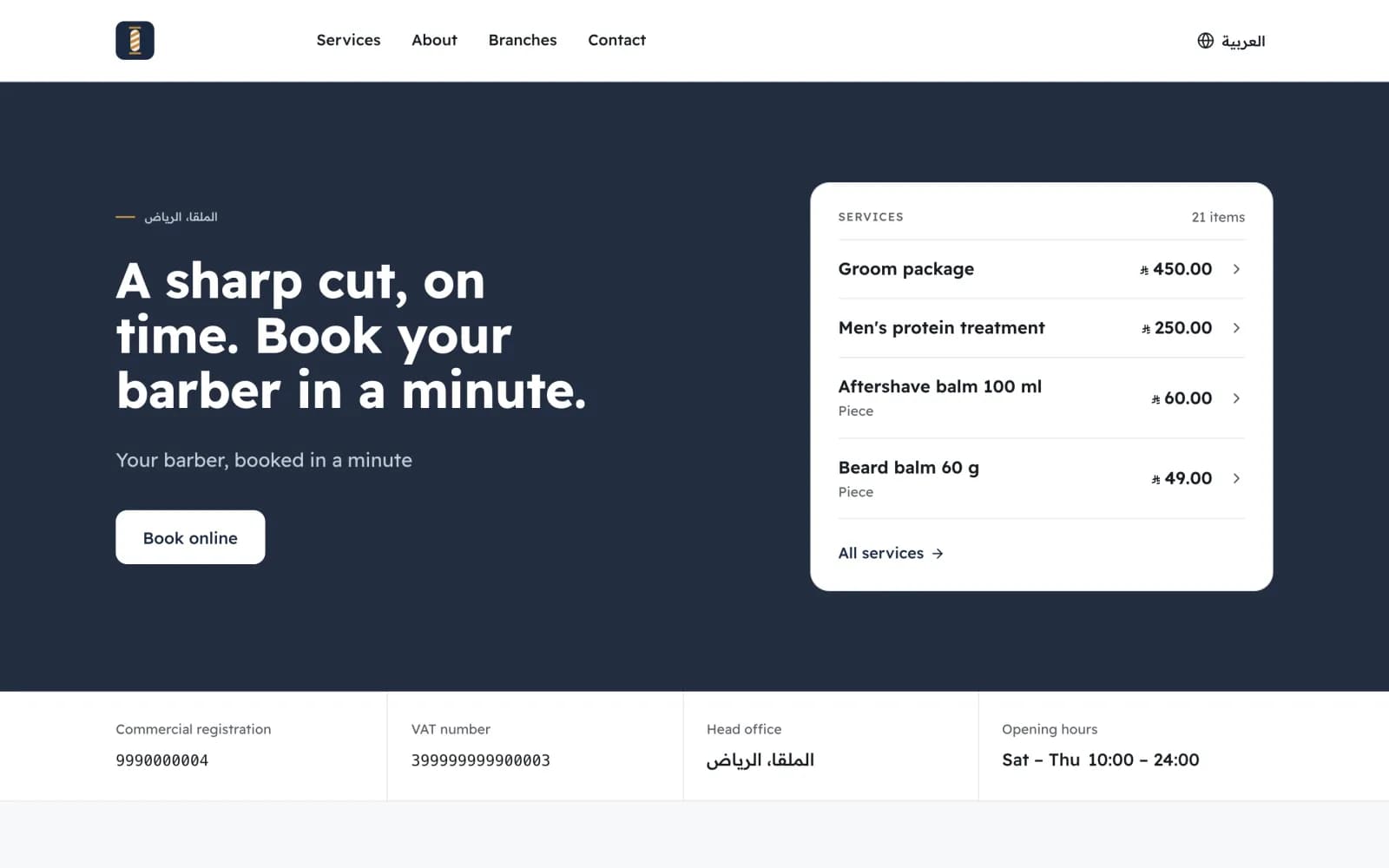
Services
Leads with what you do and a booking button. For barbers, salons, clinics’ front desks, maintenance, car care and advisers.
ExampleMaysam Barbers
 Demo company
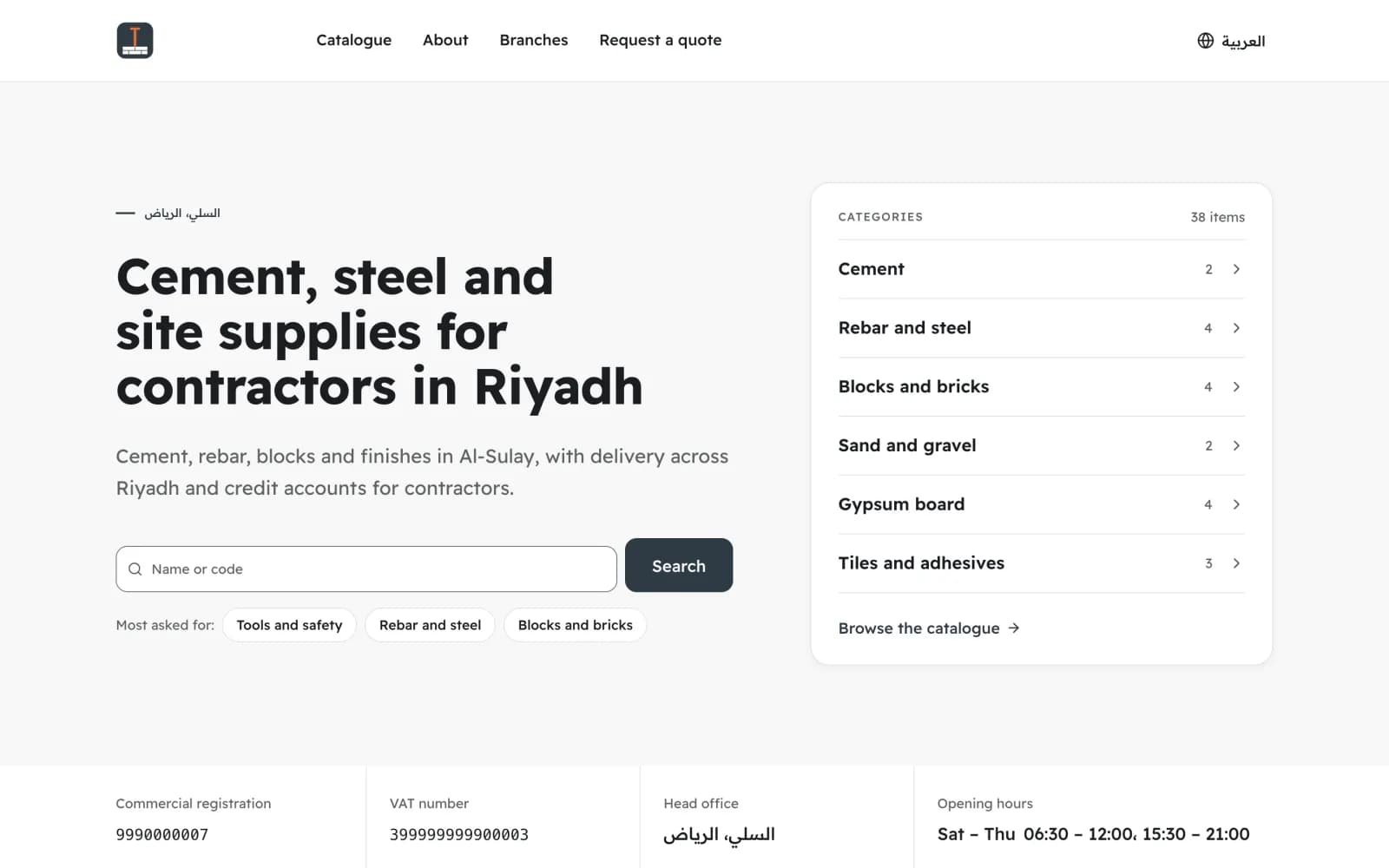
Catalogue
Leads with search and categories; visitors ask for a quote. For suppliers, wholesalers and contractors whose prices depend on the order.
ExampleMismar & Mouna Building Supplies
 Demo company
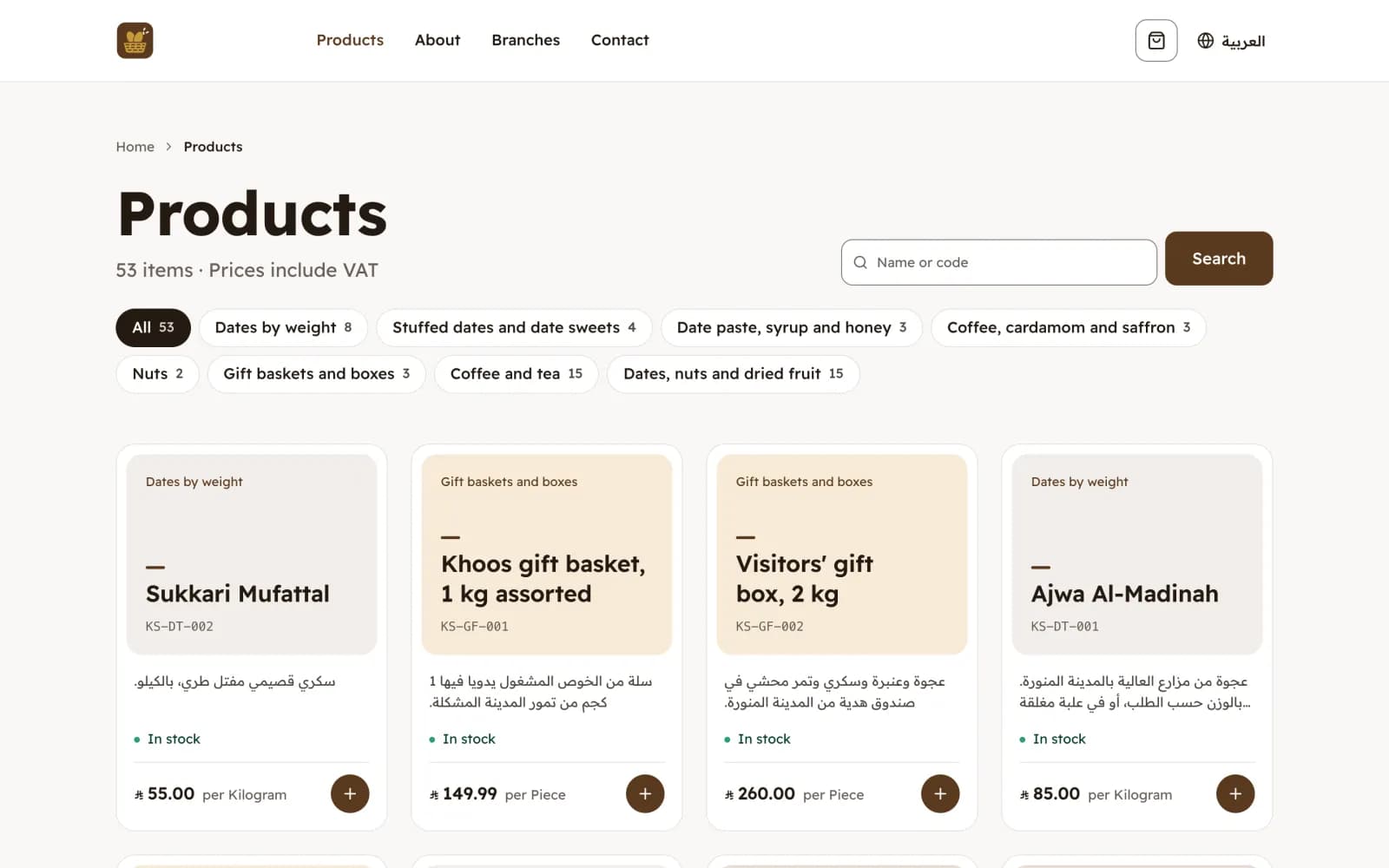
Shop
Leads with featured products; visitors add to an order or message you on WhatsApp about an item. For shops that sell over the counter and want the same shelf online.
ExampleKhoos & Simsim Dates & Sweets
An example company, set up with sample data, on each of the three looks.
The online store
An order request becomes a draft invoice.
Turn the store on in Settings, Online store: choose the branch that prepares orders and whether buyers collect, you deliver for a flat fee within an area you describe, or both.
- Demo company
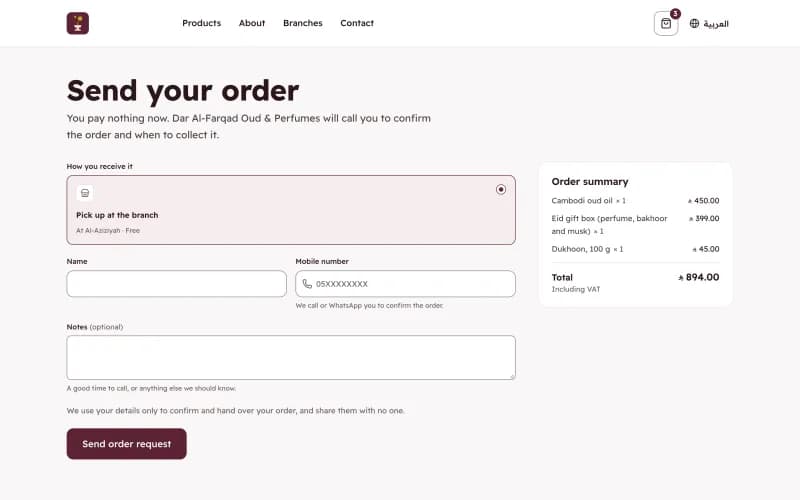
The visitor sends it.
They add priced items, choose pickup or delivery, and send the request with a name and a mobile number. The site tells them plainly that nothing is paid now.
A draft invoice, waiting for you
In Website → Orders, with the buyer’s name, mobile number and how they receive it.
It arrives written.
Website → Orders shows the request with a draft invoice already written from your branch, at the prices and VAT in Nizamics at that moment, not the ones a stale page showed.
Paid at pickup or on delivery
Then the draft is issued as the tax invoice, from the branch that prepared the order.
You confirm and get paid.
Call the buyer, confirm, and issue the invoice when they pay at pickup or on delivery. Cancelling asks for a reason and deletes the draft; the buyer is not notified automatically, so tell them yourself.
Being found
Ready for search engines and AI answers.
A website is not traffic, and we do not promise visitors. What the site does is give search engines and assistants what they need to understand your business.
Built for search.
A sitemap, both languages linked to each other, and structured data for your business, each branch and each product with its price including VAT.
A short wait, on purpose.
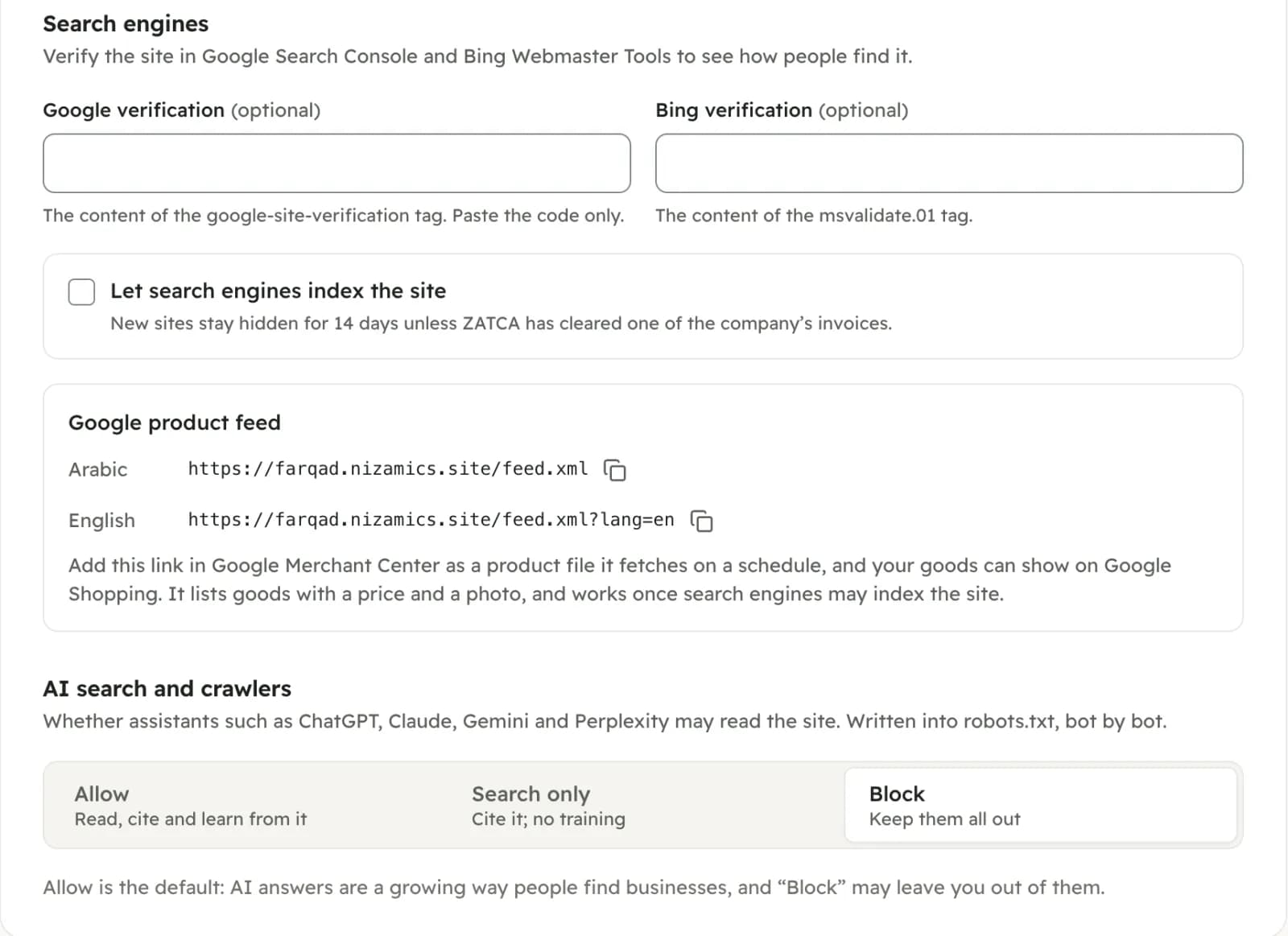
A new site stays out of search indexes for 14 days, or until ZATCA has cleared one of your invoices, whichever comes first. Then its pages are announced to search engines that accept IndexNow, such as Bing. You can also verify it in Google Search Console and Bing Webmaster Tools.
You decide about AI.
Allow assistants such as ChatGPT, Claude, Gemini and Perplexity to read and cite the site, let them cite it without training on it, or keep them out. It is written into robots.txt, bot by bot.
A product feed for Google.
Goods with a price and a photo are listed in a feed you can add to Google Merchant Center, so they can appear in Google Shopping’s free listings.
 Demo company
Plans
Free to publish. Your own domain on Plus.
Free
SAR 0
a month, not a trial
yourbrand.nizamics.site in Arabic and English, the page editor, enquiries, online booking and order requests, with a small Nizamics mark in the footer. Free for 1 branch, 3 users and 2 tills per branch, with up to 1,000 products. Unlimited invoices and customers.
PlusOwn domain
SAR 115
a month with VAT, billed yearly
Your own domain (1 domain) and no Nizamics mark.
Pro
SAR 287.50
a month with VAT, billed yearly
Up to 3 domains, and a named contact and a setup session.
Not in any plan: online checkout (planned), your domain name, WhatsApp fees, card fees. The domain name itself is bought from a registrar, in your name.
Questions
What owners ask before they publish.
- Is the website really free?
- Yes. It is part of the free plan, on yourbrand.nizamics.site with a small Nizamics mark, and it is not a trial. If we ever change the free plan for existing accounts, we tell you 30 days before, and your full export stays free. Your own domain without the mark is part of Plus.
- Can customers pay online?
- Not yet. The store takes order requests, which arrive as draft invoices you confirm; the buyer pays you at pickup or on delivery. Online payment is what we are working on next, and this page will say so when it ships.
- Do I need a CR or a VAT number?
- Not to publish. The site, enquiries and bookings work without them. The setup asks for your CR, VAT number and national address because the E-Commerce Law asks a site to show them, and they appear in its footer. The online store needs a VAT number, because every order becomes a tax invoice.
- Do I have to add my products again?
- No. The site reads your products, prices, branches and hours from Nizamics, and a change there reaches the site within a minute. Hiding an item from the site does not touch it in your products or invoices.
- Will my site show on Google?
- It is built to be understood by search engines, but no one can promise a ranking or visitors. A new site waits 14 days, or until ZATCA has cleared one of your invoices, before search engines may list it. Verify it in Google Search Console to see how people find you. Showing on Google Maps is a separate Google Business Profile, which you can link to from the site.
- Can you ship my orders?
- No. Orders are collected at your branch, or you deliver them yourself for a flat fee within an area you describe, such as "within Jeddah only". There is no link to shipping companies and no tracking.
- How does my own domain work?
- On Plus, add www.your-company.sa in Settings, Website, and put the records it shows at your domain registrar. The certificate is set up for you, and the nizamics.site address then sends visitors to your domain. You buy and renew the domain name yourself.
This page describes software, and each part is marked with where it really stands. What your website says, including its prices and offers, is yours, and the E-Commerce Law applies to it. Read the terms of use and the privacy policy before you sign up.