Included, free
Free POS software that issues a compliant simplified invoice.
A till receipt in the Kingdom is a simplified tax invoice: it has to be signed with the register’s own ZATCA certificate, carry the Phase 2 QR code, and be reported within 24 hours. The point of sale is built on the same engine the invoice screen already uses, so it is cashier software and a POS system in one account with your stock and books: every sale takes the goods out of stock and posts to your ledger.
The free plan covers 2 registers per branch. Each is onboarded with ZATCA as its own device, with its own certificate and its own invoice chain.
Connect a register as its own ZATCA device, open a shift, and sell. You can also issue simplified invoices from the invoice screen instead.
Where this actually stands
The register is running. Two things it still does not do.
The selling screen, shifts and cash counts, refunds as credit notes and the thermal receipt are all in the product — on top of the part that was always the hard one: signing a simplified invoice with a per-register certificate, the QR code, the invoice chain and reporting inside the 24-hour window. What it does not do is talk to a card terminal — a card payment is recorded with the approval code keyed in by hand — and it does not sell offline, because the first version signs online. We would rather say that here than let you find it out at a till.
What it does
Each part, with its real status.
- In the product
Simplified invoices, signed and reported
The document a till issues, with all nine QR tags, signed at the moment of issue and reported to ZATCA afterwards within 24 hours.
- In the product
Its own ZATCA device per register
Each register is onboarded separately with its own OTP and keeps its own counter and chain, which is what ZATCA requires of a point of issue.
- In the product
2 registers per branch, free
The system enforces the limit. Plus and Pro raise it, and an extra register is an add-on.
- In the product
The selling screen
A product grid, quick search, line edits and a total, usable on a touch screen at speed — and entirely on the keyboard, so a cashier never has to reach for the mouse.
- In the product
Shifts and cash counts
Open with a float, close with a counted amount, and see expected against counted with the difference posted to cash over and short. Closing shows the shift’s Z report: the takings by tender, and the single entry the close itself posts.
- In the product
Refunds as credit notes
A refund issues a credit note that references the receipt it reverses, line by line and never more than the quantity sold, which is what ZATCA expects — a till that can simply delete a sale is a till that cannot be audited.
- In the product
Thermal receipts
Bilingual 58 and 80 mm receipts with the QR code, sent straight to the printer from the browser rather than through a cloud round trip. With no printer this browser can talk to, it prints from the browser’s own dialogue at the right paper width.
Receipts
What a compliant receipt has to carry.
This is the answer to "is there a thermal invoice template" — the format is not a design choice, most of it is specified.
The Phase 2 QR code
All nine tags, including the cryptographic stamp and the public key. It must be scannable, which in practice means printing it at least 25 mm across.
The required fields
Seller name and VAT number, date and time, the totals with VAT shown separately, and the invoice’s own reference. Bilingual, because a buyer may need either.
Printed directly, never via the cloud
The receipt goes from the browser to the printer. A till that waits on a server to print is a till that stops when the connection does.
See it running
Example businesses on Nizamics, each with its own website.
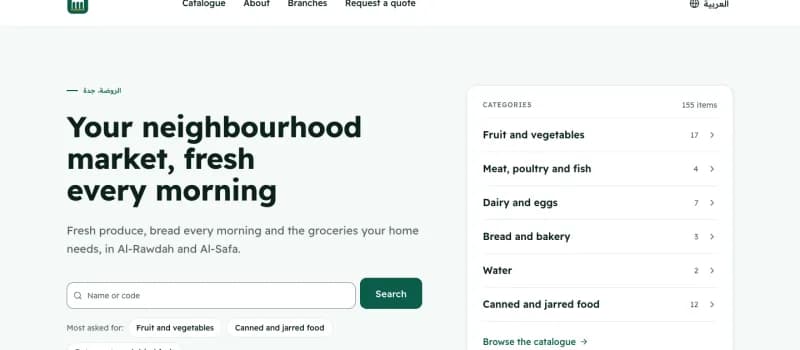 Example
Ruwaq Al-Hay Market
Mini-market · Jeddah
In the walkthrough: Weighed meat and produce priced from the scale’s label.
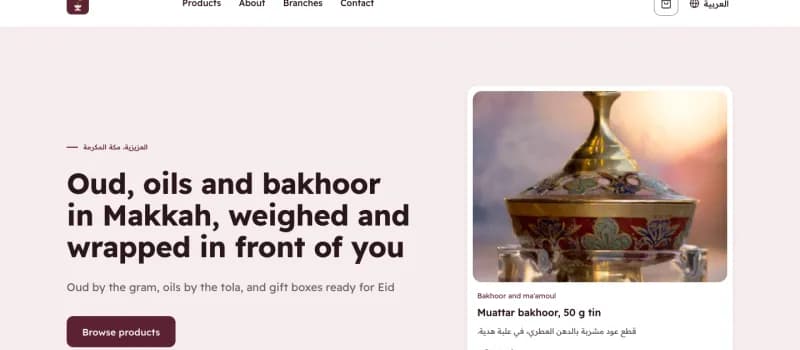 Example
Dar Al-Farqad Oud & Perfumes
Oud and perfumes · Makkah
In the walkthrough: Oud by the gram and oil by the tola, from the same stock.
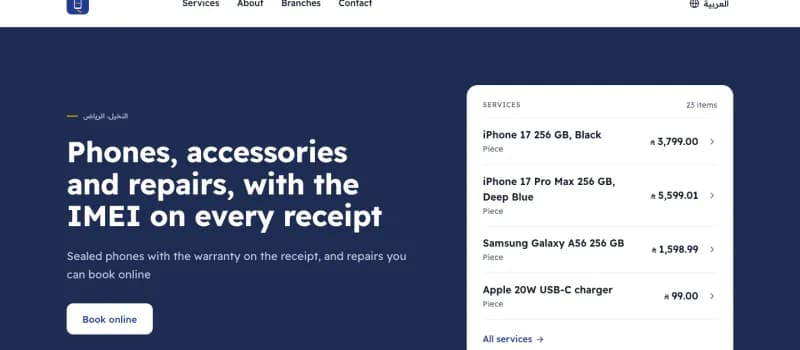 Example
Silk & Shasha Mobiles
Mobiles and repairs · Riyadh
In the walkthrough: Every phone sold by its IMEI, with the warranty on the receipt.
Examples: the businesses are invented; their invoices go to ZATCA’s test environment.
Questions
What shop owners ask.
- Is there a thermal receipt template?
- Yes. Bilingual 58 and 80 mm receipts carrying the Phase 2 QR code are in the product. The register prints them from the browser — to a thermal printer this browser is paired with, or through the browser’s own print dialogue at the right paper width when there is none. An A4 tax invoice still prints from the invoice screen when you need paper for a file.
- How many registers do I get?
- 2 registers per branch on the free plan. Each register is onboarded with ZATCA as a separate device with its own certificate. If you need more, Plus and Pro raise the limit, and an extra register is an add-on; the pricing page has both.
- Does it connect to a card terminal?
- Not in the free product. The first version records a card payment with the approval code keyed in by hand. A terminal wired into the register is custom work.
- Does it work without internet?
- No. The first version signs online, so a register needs a connection to issue. An offline queue is a later piece of work and is not promised with a date.
- What is the difference between cashier software and a POS system?
- Mostly two names for one thing. Cashier software is the selling screen a cashier uses; a point-of-sale system is that screen plus what sits behind it: stock, shifts and reports. In Nizamics they are one: the selling screen, shifts and cash counts, stock and the books are in the same account, free.
- Does the point of sale cost anything?
- No. It is in the free plan, like ZATCA invoicing, accounting and stock: limited by the shape of the business, never held back, with unlimited sales. Free for 1 branch, 3 users and 2 tills per branch, with up to 1,000 products. Unlimited invoices and customers.
This page describes software, and each part is marked with where it really stands. It is not tax advice. Read the terms of use and the privacy policy before you sign up.